Xubuntu Development Update August 2018
July was a surprisingly productive month for Xubuntu. While several folks on the team were on vacation for some portion of the month, we still delivered many great updates! Your Xubuntu development update for August 2018 includes updates to both supported LTS releases and several application updates.
LTS Updates
Xenial Xerus – 16.04.5
This is the final point release for Xubuntu 16.04 “Xenial Xerus.” As Xubuntu has a 3-year support cycle, this release will be supported until April 2019. The Xubuntu team has not made any major changes for this point release, but there have been several other improvements and security updates for other components.
16.04.5 is expected to be released tomorrow, August 2, 2018. If you have a few moments, feel free to do some testing and make sure everything is working as well as we think it is!
Bionic Beaver – 18.04.1
This is the first point release for Xubuntu 18.04 “Bionic Beaver.” At this time, users of Xubuntu 16.04 should begin receiving notifications to upgrade to this release. The Xubuntu team has released a few updates, and others are still coming. Download 18.04.1 here.
- Exo 0.12.2 includes performance improvements and a few minor bug fixes.
- Xfce Settings 4.12.4 improves display manufacturer identification and overall stability.
- LP: #1762595 (gvfs), Thunar incorrectly thinks USB storage device hasn’t finished ejecting, has been fixed!
- Updates for Catfish 1.4.6 and Xfce Terminal 0.8.7.4 are being processed through the Stable Release Update process and should be available in the coming days.
Application Updates
Catfish 1.4.6
The latest release of Catfish features a greatly improved thumbnail manager and numerous bug fixes. With 23 translation updates, this is the most localized release to date! Finally, Catfish 1.4.6 is the first release as an official Xfce project. Check out my earlier blog post for more details.
Xfce4 Panel Profiles 1.0.8
Formerly known as Xfpanel Switch, Xfce4 Panel Profiles has joined the Xfce family. This application makes it incredibly easy to backup, restore, and share panel layouts with other Xfce users. The latest release improves profile management and includes many translations. Find out more about the latest updates on the release announcement.
Xfce Releases
There were 7 new Xfce releases in July, including the two applications listed above. These releases feature several improvements and translation updates, with Xfwm4 4.13.1 featuring an astounding 81 non-translation updates!
- Catfish 1.4.6
- Thunar VCS Plugin 0.2.0
- Xfce Mount Plugin 1.1.3
- Xfce Panel Profiles 1.0.8
- Xfce Whisker Menu Plugin 2.2.1
- Xfwm ( 4.12.5, 4.13.1)
Cosmic Cuttlefish Updates
The following components have been updated in Xubuntu 18.10 since July 1st.
Applications
- Catfish 1.4.6
- Mousepad 0.4.1
- Ristretto 0.8.3
- Thunar 1.8.1
- Xfce Desktop 4.13.2
- Xfce Panel 4.13.3
- Xfce Screenshooter 1.9.2
- Xfce Settings 4.13.3
- Xfce Task Manager 1.2.1
- Xfce Terminal 0.8.7.4
Libraries
Panel Plugins
Thunar Plugins
Other Updates
- Bug Fixed! LP: #1762595 (gvfs), Thunar incorrectly thinks USB storage device hasn’t finished ejecting
What to Expect in August?
With the summer months coming to a close, kids are back in school, and everybody is back in front of their computers. This means more updates! Here are some things expected soon:
- We have updated the packaging for the elementary-xfce icon theme. Work on separating this theme from xubuntu-artwork has already been completed. We are now just waiting for some sponsored uploads. The benefit of this change is that the elementary-xfce icon theme is now available in Debian!
- Xfce Settings 4.13.5. We’ll be releasing some improvements to the settings managers soon. One improvement is the removal of the broken icon theme color generation. This worked great with GTK+ 2 themes but has been pretty broken for GTK+ 3. With this removal, Appearance Settings now loads instantly!
- I’ll be reviewing the Pidgin codebase this month. We hope to improve the theme manager to support system-wide status icons and smiley theme installation. This will allow us to ship the pidgin-elementary themes and improve our desktop consistency.
- A few bugs have been reported with Thunar in Xubuntu 16.04 regarding copying and moving files. I’ll be working to update the Thunar version in Xenial to fix these bugs and help folks transition to the latest and great Xubuntu 18.04. (LP: #1514912)
Keep up with the latest Xubuntu developments on our development tracker. Have a great month!
Xubuntu Development Update August 2018

LTS Updates
Xenial Xerus – 16.04.5
This is the final point release for Xubuntu 16.04 “Xenial Xerus”. As Xubuntu has a 3-year support cycle, this release will be supported until April 2019. There have not been any major changes from the Xubuntu team for this point release, but there have been a number of other improvements and security updates for other components.
16.04.5 is expected to be released tomorrow, August 2, 2018. If you have a few moments, feel free to do some testing and make sure everything is working as well as we think it is!
Bionic Beaver – 18.04.1
This is the first point release for Xubuntu 18.04 “Bionic Beaver”. At this time, users of Xubuntu 16.04 should begin receiving notifications to upgrade to this release. There have been a few updates from the Xubuntu team, and others are still on their way. Download 18.04.1 here.
Exo 0.12.2 includes performance improvements and a few minor bug fixes.
Xfce Settings 4.12.4 improves display manufacturer identification and overall stability.
LP: #1762595 (gvfs), Thunar incorrectly thinks USB storage device hasn’t finished ejecting, has been fixed!
Updates for Catfish 1.4.6 and Xfce Terminal 0.8.7.4 are making their way through the Stable Release Update process and should be available in the coming days.
Application Updates
Catfish 1.4.6
The latest release of Catfish features a greatly improved thumbnail manager and numerous bug fixes. With 23 translation updates, this is the most localized release to date! Finally, Catfish 1.4.6 is the first release as an official Xfce project. Check out my earlier blog post for more details.
Xfce4 Panel Profiles 1.0.8
Formerly known as Xfpanel Switch, Xfce4 Panel Profiles has joined the Xfce family. This application makes it incredibly easy to backup, restore, and share panel layouts with other Xfce users. The latest release improves profile management and includes a number of translations. Find out more about the latest updates on the release announcement.
Xfce Releases
There were 7 new Xfce releases in July, including the two applications listed just above. These releases feature a number of improvements and translation updates, with Xfwm4 4.13.1 featuring an astounding 81 non-translation updates!
Cosmic Cuttlefish Updates
The following components have been updated in Xubuntu 18.10 since July 1st.
Applications
Libraries
Panel Plugins
Thunar Plugins
Other Updates
Bug Fixed! LP: #1762595 (gvfs), Thunar incorrectly thinks USB storage device hasn’t finished ejecting
What to Expect in August?
With the summer months coming to a close, kids are back in school and everybody is back in front of their computers. This means more updates! Here are some things expected soon:
Updated packaging for the elementary-xfce icon theme. Work on separating this theme from xubuntu-artwork has already been completed. We are now just waiting for some sponsored uploads. The benefit of this change is that the elementary-xfce icon theme is now available in Debian!
Xfce Settings 4.13.5. There have been some improvements to the settings managers that we’ll be releasing soon. One improvement is the removal of the broken icon theme color generation. This worked great with GTK+ 2 themes, but has been pretty broken for GTK+ 3. With this removal, Appearance Settings now loads instantly!
I’ll be taking a look at the Pidgin codebase this month, hoping to improve the theme manager to support system-wide status icon and smiley theme installation. This will make it possible for us to ship the pidgin-elementary themes and further improve our desktop consistency.
There have been a few bugs reported with Thunar in Xubuntu 16.04 in regard to copying and moving files. I’ll be working to update the Thunar version in Xenial to fix these bugs and help folks transition to the latest and great Xubuntu 18.04. (LP: #1514912)
Keep up with the latest Xubuntu developments on our development tracker. Have a great month!
Xfce4 Panel Profiles (Formerly Xfpanel Switch) 1.0.8 Released
Xfpanel Switch has a new name and home. With the 1.0.8 release, the application is now known as “Xfce4 Panel Profiles”, and is a part of the Xfce family. The latest release improves profile management and includes a number of translations.
What’s New?
At Home With Xfce
Bug Fixes
- Failure to save some panel configurations (LP: #1765565)
- Crash on corrupted panel configs (LP: #1765565)
- Apply more strict logic when removing bad plugins
- Remove orphaned plugins when loading configuration
General
- Tidied up pylint notices
Translation Updates
Albanian, Bulgarian, Catalan, Chinese (China), Chinese (Taiwan), Croatian, Czech, Danish, Dutch, Finnish, French, Galician, German, Greek, Hebrew, Italian, Japanese, Kazakh, Korean, Lithuanian, Polish, Portuguese, Portuguese (Brazil), Russian, Serbian, Slovenian, Spanish, Swedish, Turkish
Downloads
New releases of Xfce4 Panel Profiles will now be found at the Xfce release archive. Previous releases are still available on Launchpad.
Source tarball (md5, sha1, sha256)
Xfce Panel Profiles 1.0.8 Released
Xfpanel Switch has a new name and home. With the latest release, the application is now known as “Xfce Panel Profiles” and is a part of the Xfce family. Xfce Panel Profiles 1.0.8 improves profile management and includes several translations.
What’s New?
At Home With Xfce
Bug Fixes
- Failure to save some panel configurations (LP: #1765565)
- Crash on corrupted panel configs (LP: #1765565)
- Apply more strict logic when removing bad plugins
- Remove orphaned plugins when loading configuration
General
- Tidied up pylint notices
Translation Updates
Albanian, Bulgarian, Catalan, Chinese (China), Chinese (Taiwan), Croatian, Czech, Danish, Dutch, Finnish, French, Galician, German, Greek, Hebrew, Italian, Japanese, Kazakh, Korean, Lithuanian, Polish, Portuguese, Portuguese (Brazil), Russian, Serbian, Slovenian, Spanish, Swedish, Turkish
Downloads
New releases of Xfce Panel Profiles will now be found in the Xfce release archive. Previous releases are still available on Launchpad. Download Xfce Panel Profiles 1.0.8 at the link below.
Source tarball ( md5, sha1, sha256)
Xfce4 Panel Profiles (Formerly Xfpanel Switch) 1.0.8 Released

What’s New?
At Home With Xfce
Bug Fixes
Failure to save some panel configurations (LP: #1765565)
Crash on corrupted panel configs (LP: #1765565)
Apply more strict logic when removing bad plugins
Remove orphaned plugins when loading configuration
General
Tidied up pylint notices
Translation Updates
Albanian, Bulgarian, Catalan, Chinese (China), Chinese (Taiwan), Croatian, Czech, Danish, Dutch, Finnish, French, Galician, German, Greek, Hebrew, Italian, Japanese, Kazakh, Korean, Lithuanian, Polish, Portuguese, Portuguese (Brazil), Russian, Serbian, Slovenian, Spanish, Swedish, Turkish
Downloads
New releases of Xfce4 Panel Profiles will now be found at the Xfce release archive. Previous releases are still available on Launchpad.
Catfish 1.4.6 Released, Now an Xfce Project
It’s a great day for fans of the fast and powerful Catfish search utility. With the 1.4.6 release, Catfish now officially joins the Xfce family. Additionally, there’s been some nice improvements to the thumbnailer and a large number of bugs have been squashed.
What’s New?
Xfce Transition
Catfish has long been included with most Xfce installations. It’s lightweight, fast, and a perfect companion to the Thunar file manager. With the transition from Launchpad to Xfce, things have moved around a bit. Update your bookmarks accordingly!
- Homepage (Xfce Docs)
- Bugs (Xfce Bugzilla)
- Git (Xfce Git)
- Translations (Transifex)
Improved Thumbnailer
Based on the FreeDesktop.org Thumbnail Specification, now featuring:
- Improved error handling
- Proper permissions for thumbnail directories and files
- Logging of failed thumbnail generation
- Saving of thumbnail file attributes
- Support for relative thumbnail directories
Bug Fixes
- Added inode/directory mimetype to desktop entry (Xfce #14505)
- Disabled overlay scrollbars to improve interacting with the results list (Xfce #14487)
- Enabled launching of executable AppImage files (Xfce #14500)
- Fixed invalid date in appdata (Xfce #14502)
- Replaced stock icons with standard Mime Type icons (Xfce #14503)
- Improved handling of exceptions when parsing settings (Xfce #14491)
- Improved handling of UnicodeDecodeErrors (Xfce #14490)
- Improved handling of PermissionErrors (Xfce #14488)
- Improved support for hidden files (Xfce #14497)
- Remember window size and position between sessions (Xfce #14504)
- Xfce: Open directories with the preferred file manager (Xfce #14483)
Translation Updates
Albanian, Belarusian, Catalan, Chinese (China), Chinese (Taiwan), Croatian, Czech, Danish, Dutch, French, Galician, Greek, Hebrew, Italian, Lithuanian, Norwegian Bokmål, Polish, Portuguese, Portuguese (Brazil), Russian, Spanish, Swedish, Ukrainian
Downloads
New releases of Catfish will now be found at the Xfce release archive. Previous versions will be added there soon. In the meantime, past releases are still available on Launchpad.
Source tarball (md5, sha1, sha256)
Catfish 1.4.6 Released
It’s a great day for fast and powerful Catfish search utility fans. With the release of Catfish 1.4.6, Catfish officially joins the Xfce family. Additionally, the thumbnailer has received some nice improvements, and many bugs have been squashed.
What’s New?
Xfce Transition
Catfish has long been included with most Xfce installations. It’s lightweight, fast, and a perfect companion to the Thunar file manager. With the transition from Launchpad to Xfce, things have moved around a bit. Update your bookmarks accordingly!
- Homepage (Xfce Docs)
- Bugs (Xfce Bugzilla)
- Git (Xfce Git)
- Translations (Transifex)
Improved Thumbnailer
Based on the FreeDesktop.org Thumbnail Specification, now featuring:
- Improved error handling
- Proper permissions for thumbnail directories and files
- Logging of failed thumbnail generation
- Saving of thumbnail file attributes
- Support for relative thumbnail directories
Bug Fixes
- Added inode/directory mime type to desktop entry (Xfce #14505)
- Disabled overlay scrollbars to improve interacting with the results list (Xfce #14487)
- Enabled launching of executable AppImage files (Xfce #14500)
- Fixed invalid date in AppData (Xfce #14502)
- Replaced stock icons with standard Mime Type icons (Xfce #14503)
- Improved handling of exceptions when parsing settings (Xfce #14491)
- Improved handling of UnicodeDecodeErrors (Xfce #14490)
- Improved handling of PermissionErrors (Xfce #14488)
- Improved support for hidden files (Xfce #14497)
- Remember window size and position between sessions (Xfce #14504)
- Xfce: Open directories with the preferred file manager (Xfce #14483)
Translation Updates
Albanian, Belarusian, Catalan, Chinese (China), Chinese (Taiwan), Croatian, Czech, Danish, Dutch, French, Galician, Greek, Hebrew, Italian, Lithuanian, Norwegian Bokmål, Polish, Portuguese, Portuguese (Brazil), Russian, Spanish, Swedish, Ukrainian
Downloads
New releases of Catfish will now be found at the Xfce release archive. Previous versions will be added there soon. In the meantime, past releases are still available on Launchpad. Download Catfish 1.4.6 at the link below.
Source tarball ( md5, sha1, sha256)
Xubuntu Development Update July 2018
Our work over June has brought a few new updates for July, including many Xfce 4.13 updates, bug fixes, and a few migrations, which round out a nice month of development. This is your Xubuntu development update for July 2018.
Xfce 4.13, A Preview of What’s To Come
Xfce has a fairly standard versioning scheme. Even version numbers (4.10, 4.12, 4.14) represent stable, supported releases. Odd version numbers (4.11, 4.13) represent development versions. Xfce 4.14 (the GTK 3 release) has been in development for a few years now, and several components have had 4.13 releases as their ports are completed and bugs are fixed.
With the Xubuntu LTS release behind us and Xfce 4.14 likely to be released sometime in the next year, we’re ready to start rolling out more of these development releases for our users. There are not a lot of new features, but with the upgraded toolkit, there’s better support for newer technologies, theming capabilities, and … an increased likelihood of bugs (we’ll fix them, we promise).
As of this morning (July 1), we have many more Xfce 4.13 available in Xubuntu 18.10 “Cosmic Cuttlefish.” This is thanks to the hard work of Unit 193 — our Debian liaison, package maintainer, council member, and all-around awesome person. The following components are now available.
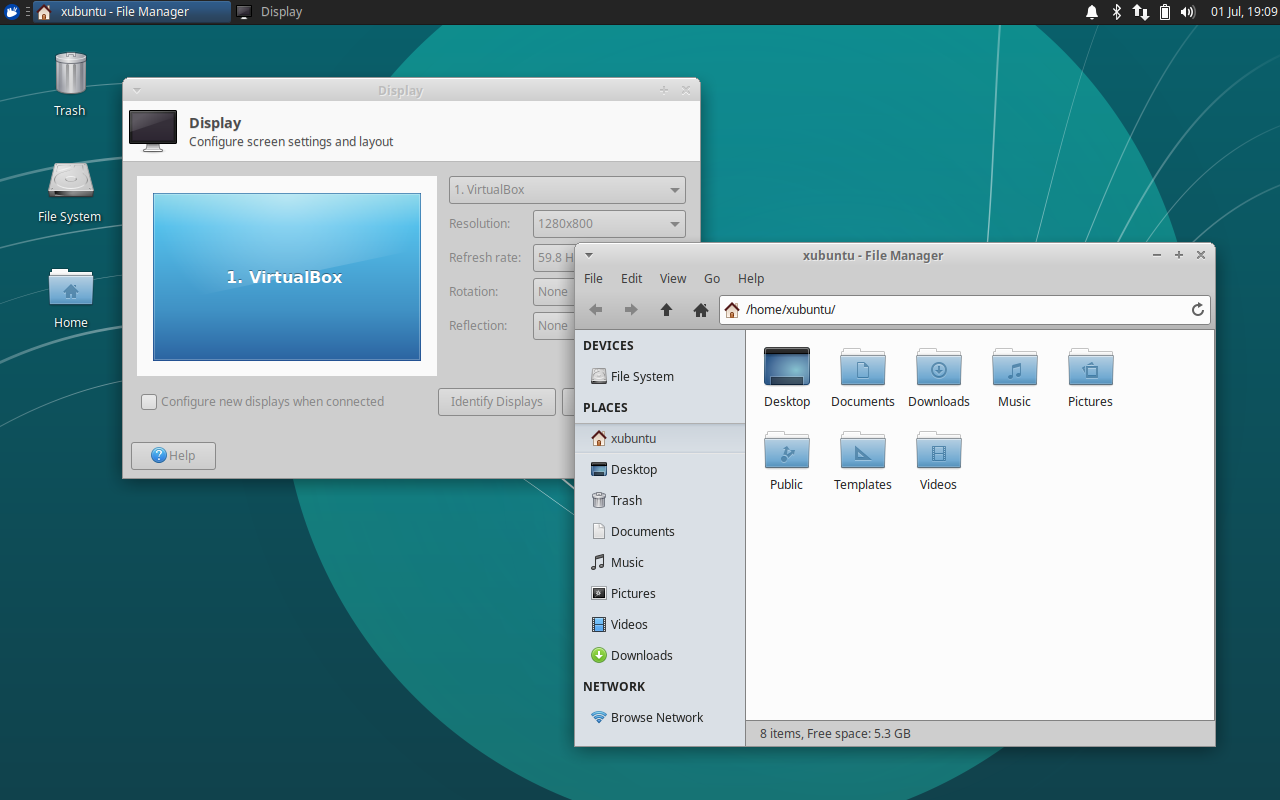
- Thunar 1.8 (and plugins)
- Xfce Desktop 4.13
- Xfce Panel 4.13 (and plugins)
- Xfce Screenshooter 1.9
- Xfce Settings 4.13
- Updated libraries (libxfce4panel, libxfce4util, xfconf)
New Releases
July was a nice month for Xfce development. 11 projects were updated, and most of these updates have already landed in Xubuntu. The other updates should land in the coming days.
- Exo 0.12.2
- libxfce4util 4.13.2
- Mousepad 0.4.1
- Ristretto 0.8.3
- Thunar 1.8.0 / 1.8.1
- Thunar VCS Plugin 0.1.90
- Xfce Desktop 4.13.2
- Xfce Dictionary 0.8.1
- Xfce Settings 4.12.4 / 4.13.4
- Xfce Task Manager 1.2.1
- Xfconf 4.13.5
Upcoming Releases
Catfish 1.4.6
We’re in the middle of migrating Catfish to be an official part of the Xfce family. After migrating bugs from Launchpad to Xfce, it was only rational to fix a few. So with those bug fixes, we’re right around the corner from another release. I’ll have more information on the Xfce transition with the 1.4.6 release announcement later this month.
Xubuntu 18.04.1
The first point release for 18.04 is expected this month, on July 26th. After 18.04.1 is released, 16.04 LTS users will begin to receive upgrade notifications. Before we get there, we have a few fixes and updates we want to deliver.
- LP: #1762595 (gvfs), Thunar incorrectly thinks USB storage device hasn’t finished ejecting
- Exo 0.12.2, which includes some performance improvements and a few fixes
- Xfce Settings 4.12.4, which includes a few bug fixes and improved monitor manufacturer detection
What to Expect in July?
Xubuntu 18.04.1 Testing
With each point release, we need some testing to ensure everything works as expected. With 18.04.1, we’ll likely be looking for more release upgrade tests. Look forward to some calls for testing this month to test the upcoming milestone, or join us on #xubuntu-devel to learn how you can start testing now.
Xfce Migrations
We’ve already started moving Catfish to Xfce, but more work remains to be done. We’ll also be moving Xfce Panel Switch this month to join the rest of its friends and family.
More Blueprint Activity
Keep an eye on the Xubuntu development tracker to see what the team is up to this month.
Xfce Settings 4.12.4 and 4.13.4 Released
The latest developments in Xfce Settings continue to make their way to both the stable and development releases. Both 4.12.4 and 4.13.4 include a number of improvements, and 4.13.4 is steadily marching toward the 4.14 future.
What’s New?
Bug Fixes (4.12 and 4.13)
xfsettingsd --replacedoes not replace old daemon (Xfce #14381)- Uninitialized scalar variables (CID #292062, #292063)
- Resolved warnings for
-Wcast-function-type(GCC 8) - Fixed redefinition of DISTCLEANFILES in Makefile.am
- Fixed typo in display manufacturers, “PRECISON” to “PRECISION”
Improved Display Manufacturer Recognition (4.12 and 4.13)
- Refreshed PNP IDs from hwdata
- Added support for VBX (VirtualBox)
- Standardized and shortened manufacturer names
- Updated laptop detection to include eDP in XfceRandr
Xfce 4.14 Progress (4.13 Only)
- Xfce Settings has been ported from D-Bus GLib to GDBus as of 4.13.3
- D-Bus GLib was deprecated in favor of GDBus with GLib 2.26
XRandr Display Scaling (4.13 Only)
- This new feature is equivalent to
xrandr --scaleand is used to scale the entire display area - The scale values are stored in Xfconf under
/Default/<NAME>/Scale/{X,Y} - For now, this setting can only be configured via Xfconf. If you’d like to submit a patch to add it to the GUI, we’d love to have it!

Translation Updates
Belarusian, Catalan, English (Australia), Galician, Greek, Hebrew, Hungarian, Japanese, Kazakh, Korean, Portuguese, Portuguese (Brazil), Russian, Spanish, Swedish, Ukrainian
Downloads
XFCE SETTINGS 4.12.4
Source tarball (md5, sha1, sha256)
XFCE SETTINGS 4.13.4
Source tarball (md5, sha1, sha256)
Exo 0.12.1 (and 0.12.2) Released
Xfce application developers rejoice! A new version of the Exo support library is now available. With performance improvements and full support for GCC 8, both users and developers should be excited for this news.
What’s New?
Bug Fixes
- Use the “user-bookmarks” icon instead of “bookmark-new” (Xfce #14243)
- Properly scale application icons in Preferred Applications dialog (Xfce #14362)
- Remove pure attribute of function that returns void (Xfce #14427)
Missing varargs init or cleanup (CID #30799)- Reverted in 0.12.2 to get rid of some unwelcome segmentation faults (Xfce #14465)
- Uninitialized scalar variable (CID #127777)
Exo Icon Chooser Dialog
- Dropped deprecated International icon context, added Stock icon context
- Increased context title max length to support long translations
- Symbolic icons are no longer populated in the icon chooser dialog, which could lead to significant performance gains with various icon themes
- Added a new test to the test suite for the GTK 3 version of this dialog
Helpers
- Added PCManFM-Qt (from LXQt) to supported file managers (Xfce #14333)
Compiler Support
- Disabled
-Wexpansion-to-definedand resolve various compiler warnings for GCC 7 - Fixed
-Wcast-function-typefor GCC 8
Translation Updates
Albanian, Amharic, Belarusian, Bulgarian, Catalan, Chinese (China), Chinese (Taiwan), Czech, Danish, Dutch, English (Australia), Finnish, French, Galician, Greek, Hebrew, Hungarian, Italian, Polish, Portuguese, Russian, Slovak, Swedish, Turkish
Downloads
Source tarball (md5, sha1, sha256)