Parole Media Player 0.8.1 Released
It’s been nearly 8 months since the first release in Parole’s 0.8 stable series. Yesterday, Parole Media Player 0.8.1 was released in time to be included in Xubuntu 15.10. This release includes several bug fixes and makes for another great release. What’s New? New Feature-ish New hidden setting to persistently hide the menubar been sessions. This … Continue reading Parole Media Player 0.8.1 ReleasedParole Media Player 0.8.1 Released
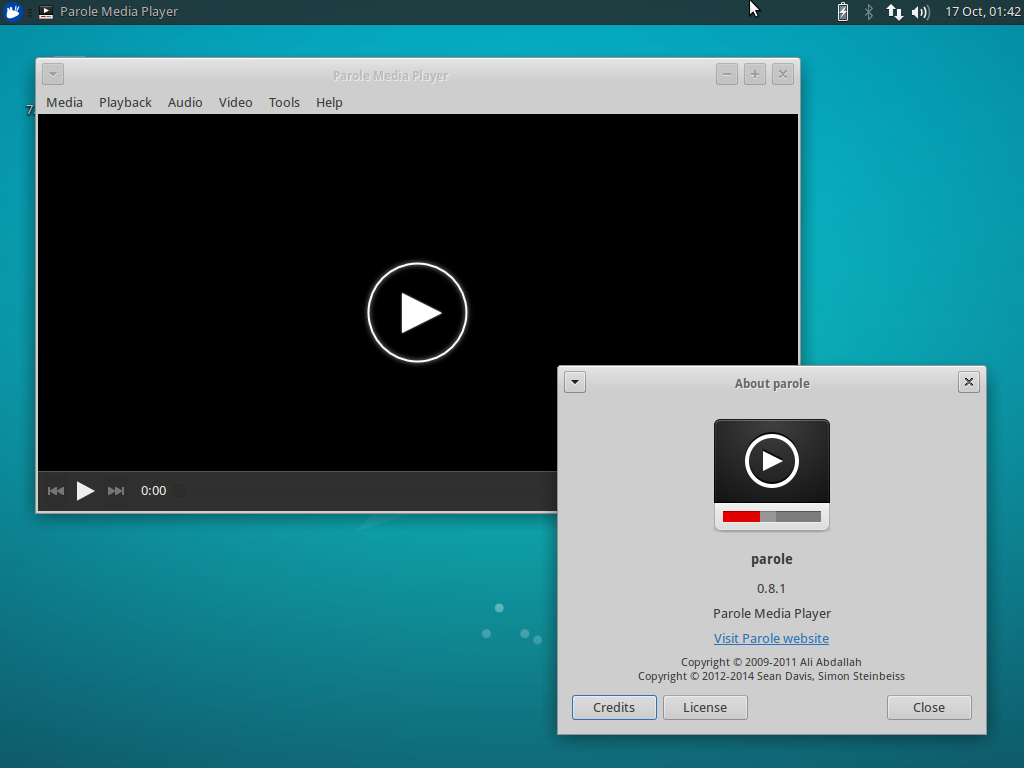
It’s been nearly 8 months since the first release in Parole’s 0.8 stable series. Yesterday, Parole Media Player 0.8.1 was released in time to be included in Xubuntu 15.10. This release includes several bug fixes and makes for another great release.
What’s New?
New Feature-ish
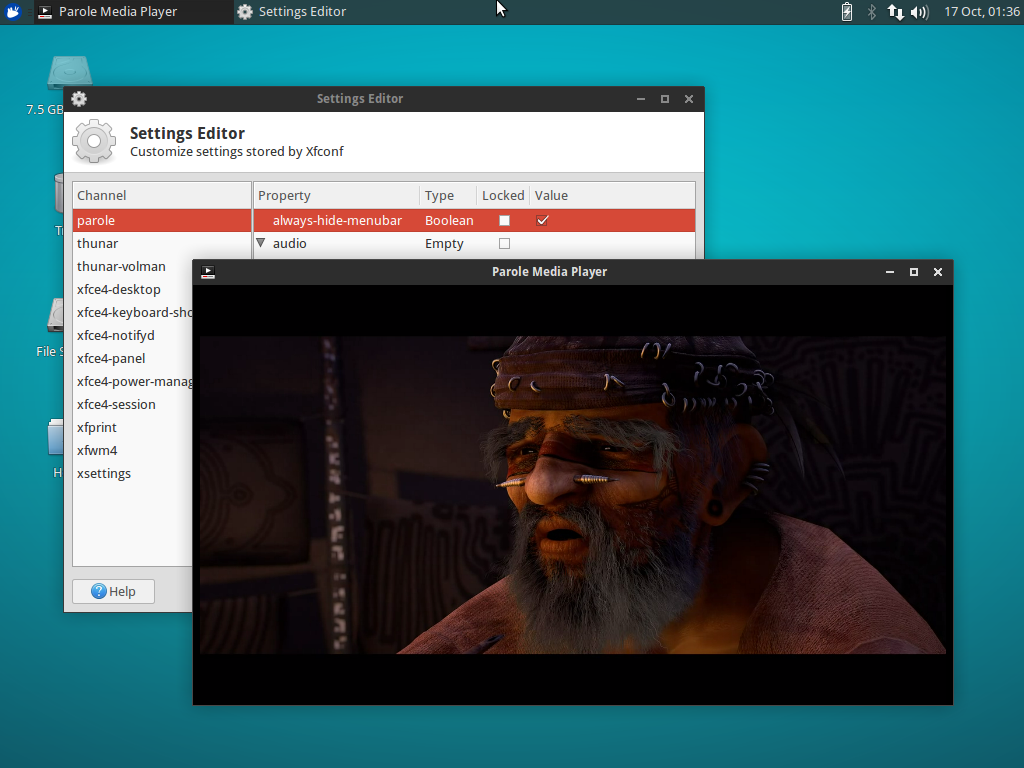
New hidden setting to persistently hide the menubar been sessions. This option reduces Parole into a window dedicated to content for as long as it is enabled.
-
To enable from the terminal, issue the following command:
xfconf-query -c parole -p /always-hide-menubar -nt bool -s true -
And from the Xfce Settings Editor: Click “parole”, then “New”. Enter “/always-hide-menubar” as the property, select “Boolean”, and then toggle the value to “TRUE”.
Bugs Fixed
- Xfce: #12045: MPRIS2 plugin: Add missing signal watch on shuffle property
- Xfce: #12169: Fix crash on close that would happen in some system configurations (including Xubuntu 15.10)
- Xfce: #11653: Make appdata.xml correctly validate
- Fixed building with
--debugby correcting conditional logic
Translation Updates
Chinese (China), Chinese (Taiwan), English (Australia), Finnish, French, Galician, German, Greek, Hebrew, Italian, Korean, Lithuanian, Malay, Polish, Portuguese, Portuguese (Brazilian), Russian, Spanish, Swedish, Thai, Ukrainian
Screenshots
Downloads
The latest version of Parole Media Player can be downloaded from the Xfce archives. Ubuntu 15.10 “Wily Werewolf” users can install Parole 0.8.1 from the repositories:
sudo apt-get update
sudo apt-get install parole
Catfish 1.3.3 Released
The latest version of Catfish (1.3.3) was released on October 8th. This release follows the current development cycle where I am improving usability and tackling bugs big and small. Changes Since 1.3.0 New Features The headerbar window decorations are now optional, and can be toggled with the use-headerbar setting Updated Translations: German, Greek, Finnish, French, … Continue reading Catfish 1.3.3 ReleasedCatfish 1.3.3 Released
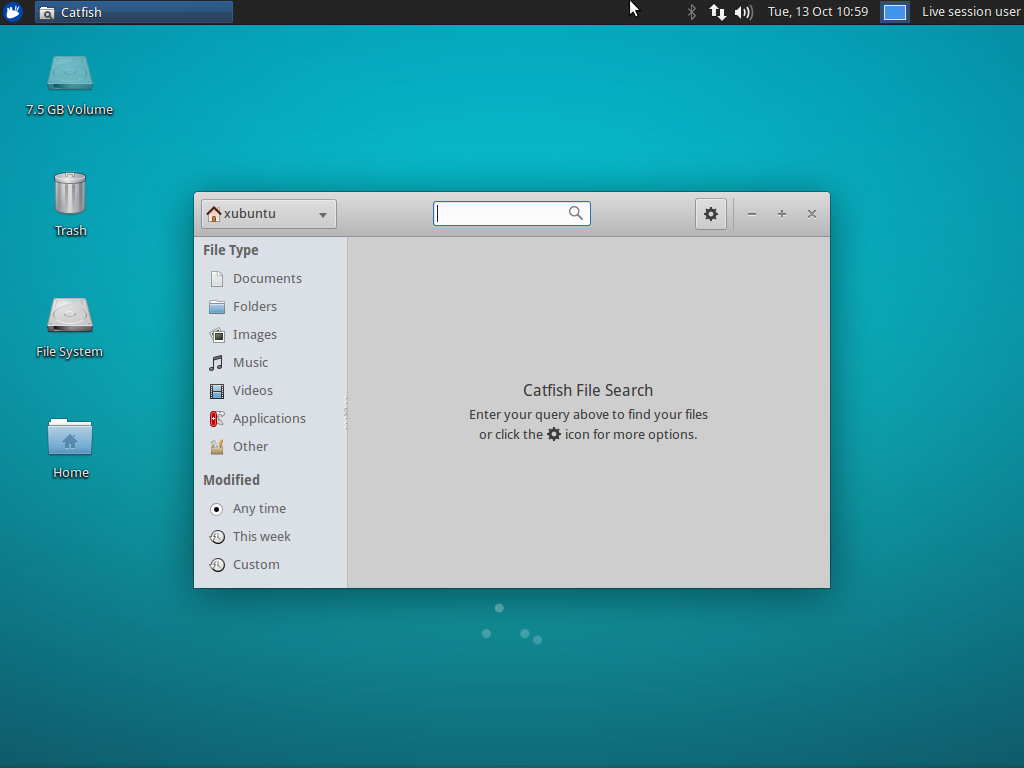
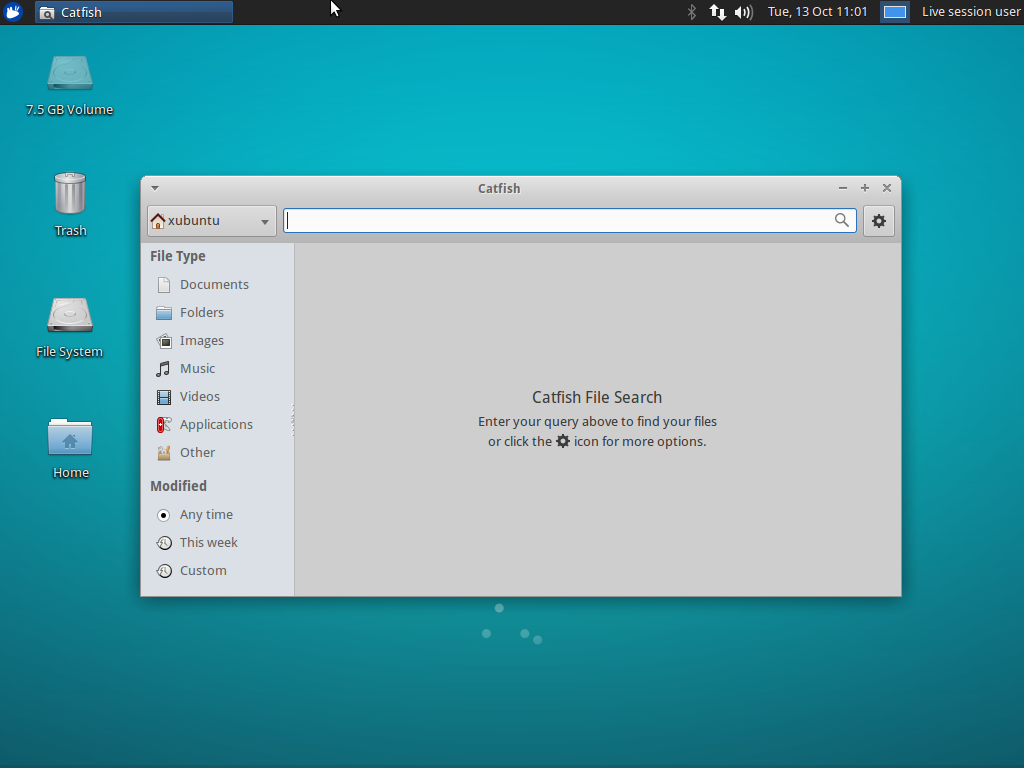
Catfish 1.3.3 was released on October 8th. This release follows the current development cycle, in which I improve usability and tackle bugs of all sizes.
Changes Since 1.3.0
New Features
- The headerbar window decorations are now optional and can be toggled with the
use-headerbarsetting - Updated Translations: German, Greek, Finnish, French, Polish, Portuguese, Spanish
Bug Fixes
- LP: #1395720: Support for passwordless sudo
- LP: #1442559: Fix lookup of files over 2GB on 32bit installations
- LP: #1482919: Detect availability of
locate, disable if unavailable - LP: #1495098: Use correct thumbnails directory based on GLib version
- Fix broken modification date filter
- Hide output from the
whichcommand on startup - Set the window title to display in window lists correctly
Screenshots
Downloads
The latest version of Catfish can be downloaded from Launchpad. Ubuntu 15.10 “Wily Werewolf” users can install Catfish 1.3.3 from the repositories:
sudo apt-get update
sudo apt-get install catfish
Xfce Panel Switch: Introduction
Xubuntu 15.10 “Wily Werewolf” introduces a new application for managing panel layouts in Xfce, Xfce Panel Switch. This is a simple utility application that fills a void for appearance tweakers and distributors alike. Features Backup and restore panel configurations Share panel layouts with simple exporting and importing Choose from one of 5 included layouts, or … Continue reading Xfce Panel Switch: IntroductionXfce Panel Switch: Introduction
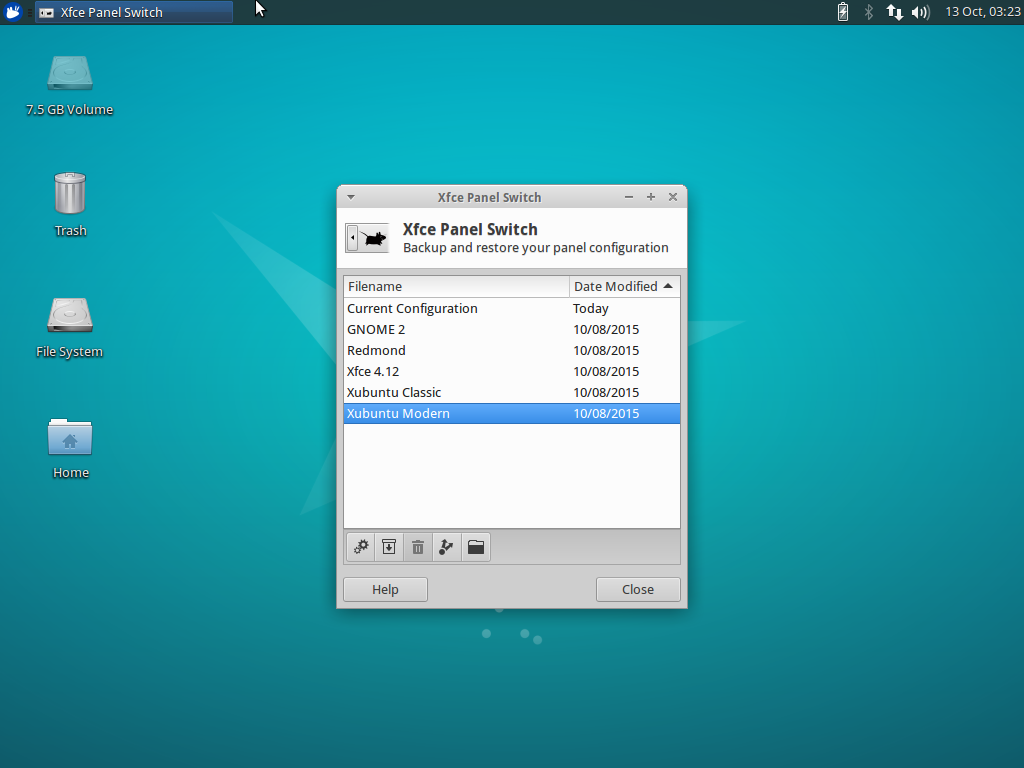
Xubuntu 15.10 “Wily Werewolf” introduces a new application for managing panel layouts in Xfce, Xfce Panel Switch. This simple utility application fills a void for appearance tweakers and distributors alike.
Features
- Backup and restore panel configurations
- Share panel layouts with simple exporting and importing
- Choose from one of 5 included layouts, or install layouts system-wide in
/usr/share/xfpanel-switch/layouts
Included Layouts
- GNOME 2 (top and bottom panel configuration)
- Redmond (single panel layout familiar to Windows users)
- Xfce 4.12 (out-of-the-box default Xfce layout)
- Xubuntu Classic (Xubuntu 12.04 era)
- Xubuntu Modern (Xubuntu 14.04 and newer)
Screenshots
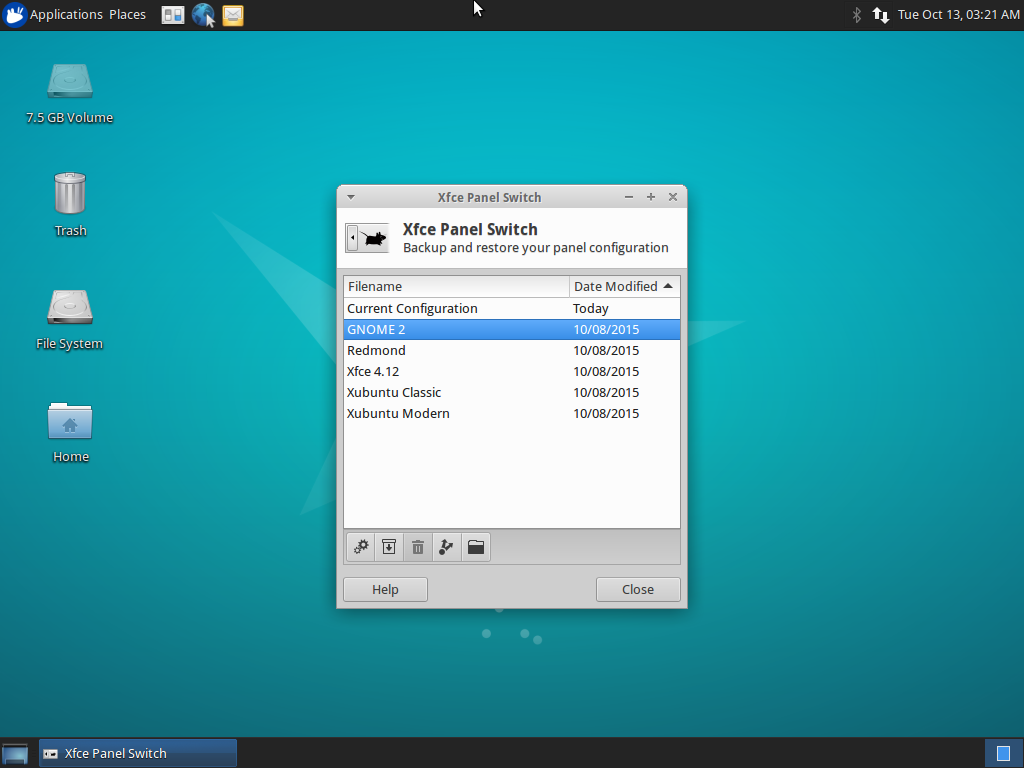
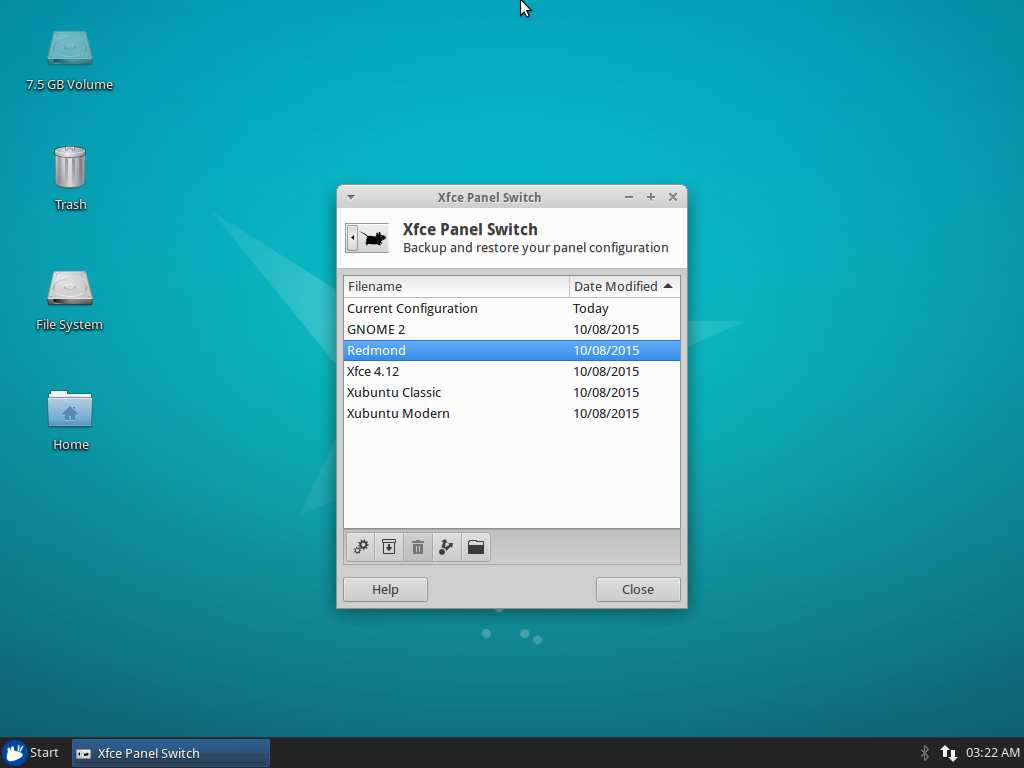
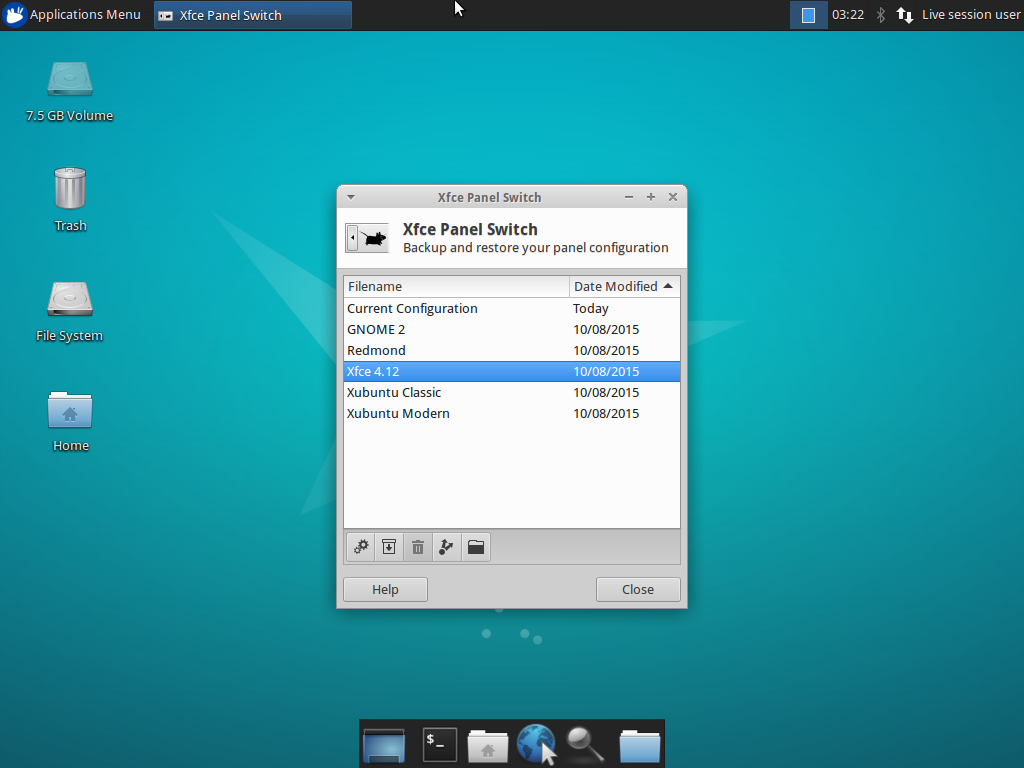
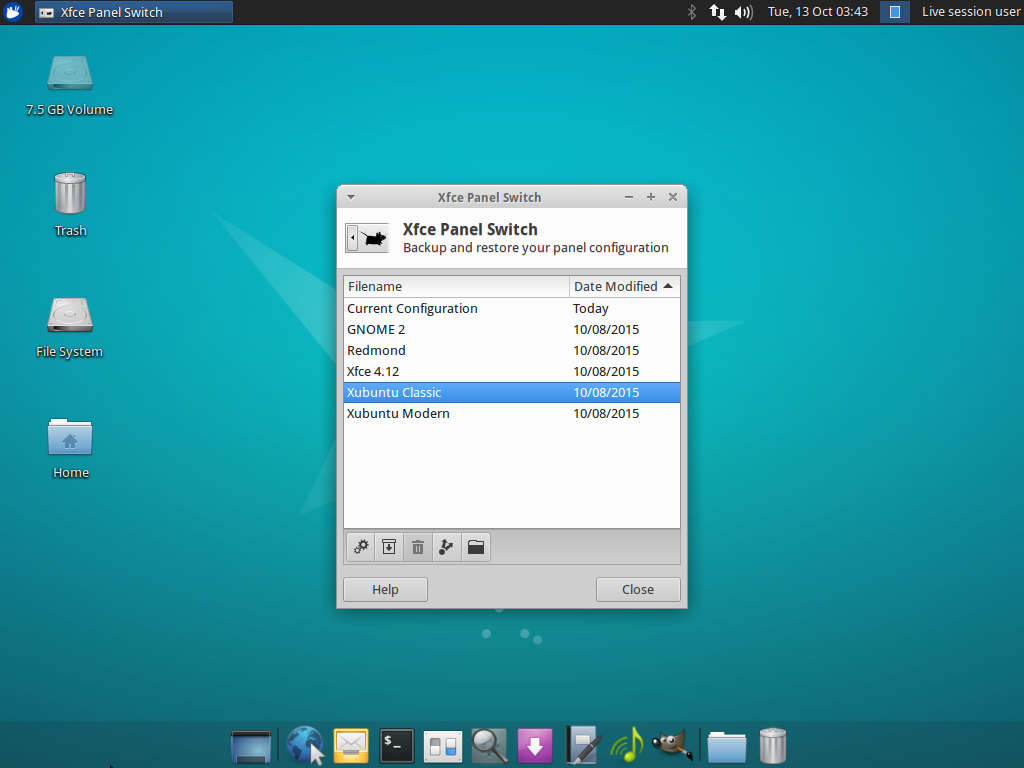
Downloads
The latest version of Xfce Panel Switch can be downloaded from Launchpad. Ubuntu 15.10 “Wily Werewolf” users can install Xfce Panel Switch 1.0.3 from the repositories:
sudo apt-get update
sudo apt-get install xfpanel-switch
Catfish 1.3.0 Released
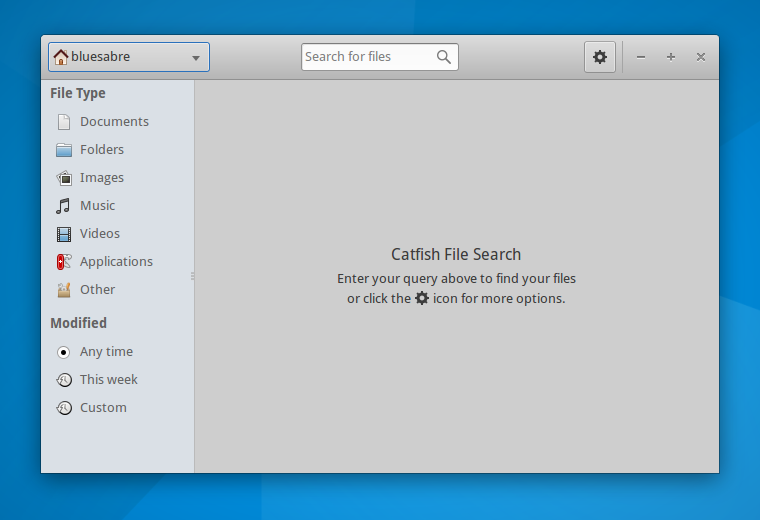
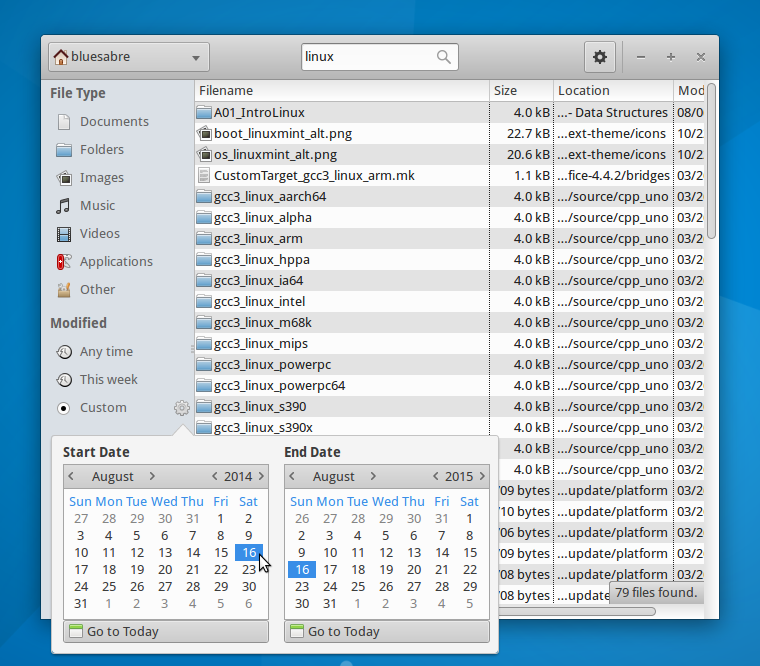
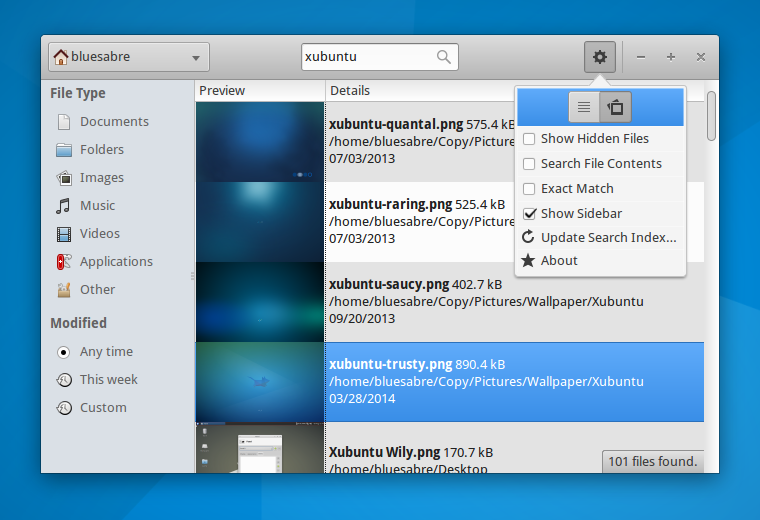
The first release in the Catfish 1.3 development cycle is now out! This development cycle is intended to refine the user interface and improve search speed and responsiveness. Catfish 1.3.0 is all about style.
What’s New?
- The toolbar has been replaced with a Gtk HeaderBar. This better utilizes screen space and makes Catfish more consistent with other Gtk3 applications.
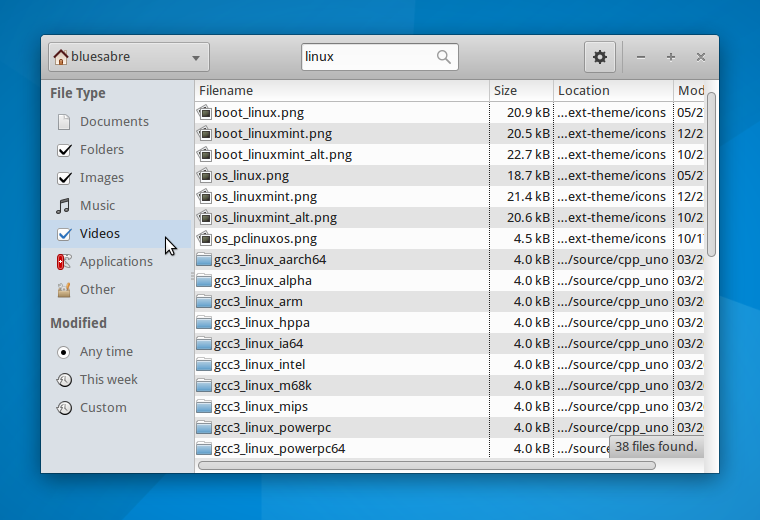
- The sidebar has been cleaned up and now clearly indicates selected options.
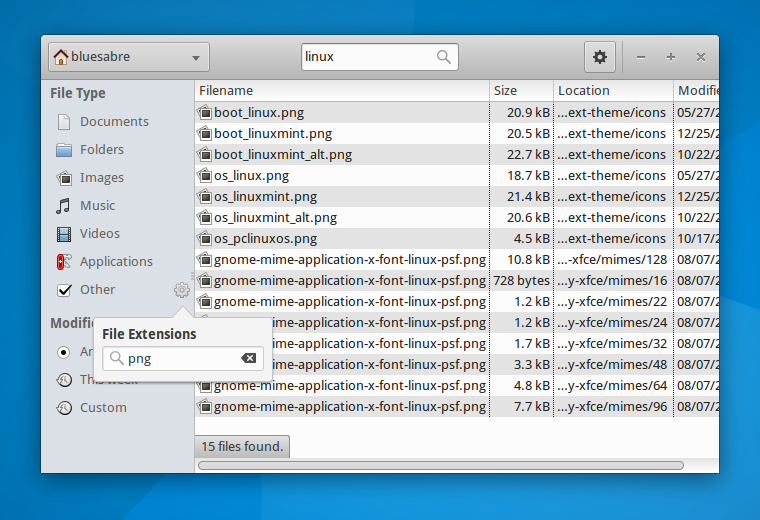
- The file type and modification date dialogs were replaced with Popover widgets. Filter changes are now applied immediately.
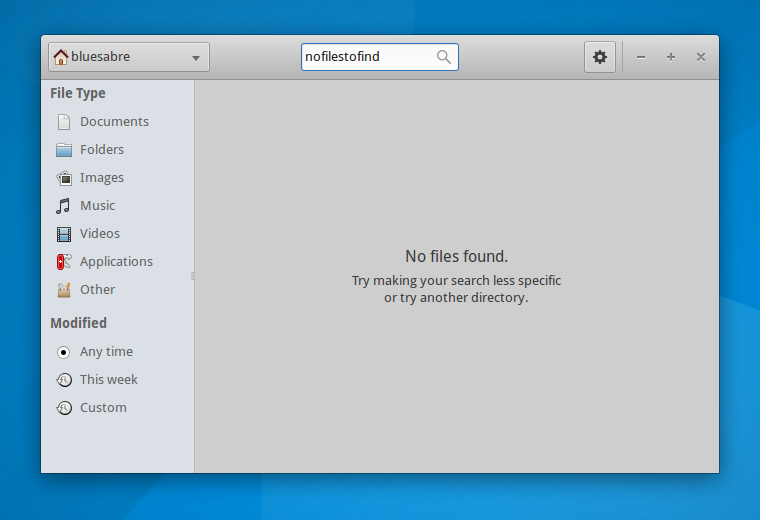
- Startup, search, and results views now feature user-friendly “splash screens.”
Bug Fixes
- Catfish will no longer attempt to create thumbnails for Photoshop and SVG files. Recent library versions have caused Catfish to crash.
- Exit application with Ctrl+Q (LP: #1447045)
- Add GenericName to desktop file (LP: #1476401)
- Use the correct locate.db file (LP: #1480064)
- Use unique GUI IDs (LP: #1389896)
Screenshots
Downloads
The latest version of Catfish can be downloaded from Launchpad. Ubuntu 15.10 “Wily Werewolf” users can install Catfish 1.3.0 from the repositories:
sudo apt-get update
sudo apt-get install catfish
LightDM GTK+ Greeter 2.0.1 and Settings 1.2.0 Releases
LightDM GTK+ Greeter and it’s accompanying configuration application have been updated! A number of bugs have been fixed in the greeter, and a new multihead configuration dialog has been added to LightDM GTK+ Greeter Settings. Update 2015/06/16 Both applications have been added to the Stable PPA. Some users are reporting a solid-color background on some … Continue reading LightDM GTK+ Greeter 2.0.1 and Settings 1.2.0 ReleasesGoodby Foresight
Little more than a year ago I posted about the bright future of foresight linux.
Well it looks like this won’t happen any more.
Yesterday Michael announced our decision to bury (or at least it feels like this) foresight linux.
I’ve been involved in foresightlinux for ~ 10 years and it’s hard when such a long period ends. I will miss foresight and the people that formed it.
Special Thanks to Ken Vandine who started that whole thing 10+ years ago.
Here is the announcement:
The Foresight Linux Council has determined that there has
been insufficient volunteer activity to sustain meaningful new
development of Foresight Linux. Faced with the need either to
update the project’s physical infrastructure or cease operations,
we find no compelling reason to update the infrastructure.
Therefore, around the end of May, the following will be shut down:
* Software repositories (Foresight Linux and legacy rBuilder Online
repositories)
* JIRA and Confluence servers
* Shared development infrastructure
* Mailing lists, including these lists
The foresightlinux.org domain will remain as an informal “alumni
association” for an indefinite amount of time, along with the
project IRC channels for as long as they are in use.
Volunteers to host read-only copies of the JIRA/Confluence
and/or mailing list archives should respond to
foresight-devel (at) lists.
while the lists are still operational.
Hosting the repositories in read-only mode would be non-trivial;
requiring approximately 2.5TB of storage; simply moving the data
would be a substantial task. Do not assume that the repository
contents will be retained.
The Foresight Linux Council would like to extend our thanks to the
Software Freedom Conservancy, our corporate home, for their support
of Foresight Linux and of software freedom generally. We would also
like to thank SAS Institute for providing physical infrastructure and
hosting for the past two and a half years, as well as for offering
to refresh the infrastructure. This decision to retire Foresight
Linux was entirely the council’s.
To those of us who have been a part of this community for up
to ten years, this feels a little like a death. If you wish to
celebrate the life of this project, please discuss soon on the
foresight-devel (at) lists.
freenode.net #foresight-devel channel when and how to do so.
On behalf of the Foresight Linux Council,
Michael K Johnson
Goodby Foresight
Little more than a year ago I posted about the bright future of foresight linux.
Well it looks like this won’t happen any more.
Yesterday Michael announced our decision to bury (or at least it feels like this) foresight linux.
I’ve been involved in foresightlinux for ~ 10 years and it’s hard when such a long period ends. I will miss foresight and the people that formed it.
Special Thanks to Ken Vandine who started that whole thing 10+ years ago.
Here is the announcement:
The Foresight Linux Council has determined that there has
been insufficient volunteer activity to sustain meaningful new
development of Foresight Linux. Faced with the need either to
update the project’s physical infrastructure or cease operations,
we find no compelling reason to update the infrastructure.
Therefore, around the end of May, the following will be shut down:
* Software repositories (Foresight Linux and legacy rBuilder Online
repositories)
* JIRA and Confluence servers
* Shared development infrastructure
* Mailing lists, including these lists
The foresightlinux.org domain will remain as an informal “alumni
association” for an indefinite amount of time, along with the
project IRC channels for as long as they are in use.
Volunteers to host read-only copies of the JIRA/Confluence
and/or mailing list archives should respond to
foresight-devel (at) lists.
while the lists are still operational.
Hosting the repositories in read-only mode would be non-trivial;
requiring approximately 2.5TB of storage; simply moving the data
would be a substantial task. Do not assume that the repository
contents will be retained.
The Foresight Linux Council would like to extend our thanks to the
Software Freedom Conservancy, our corporate home, for their support
of Foresight Linux and of software freedom generally. We would also
like to thank SAS Institute for providing physical infrastructure and
hosting for the past two and a half years, as well as for offering
to refresh the infrastructure. This decision to retire Foresight
Linux was entirely the council’s.
To those of us who have been a part of this community for up
to ten years, this feels a little like a death. If you wish to
celebrate the life of this project, please discuss soon on the
foresight-devel (at) lists.
freenode.net #foresight-devel channel when and how to do so.
On behalf of the Foresight Linux Council,
Michael K Johnson