Xfce 4.14pre3 released!

The final pre-release before Xfce 4.14 stable is out since two days ago so here goes a quick look at the most notable bugfixes. While this release was optional, we decided to give ourselves a little more time for bugfixes and translation updates to flow in, which results in sticking to the original plan of releasing 4.14 in mid-August.
That said, many components only received translation updates, which hopefully means there are no more bugs to fix in them 
Some highlights
xfce4-session
We worked again towards the reducing of race conditions between xfsettingsd (which applies all kinds of X and Gtk related settings like font, theme, display layout) and other Xfce components that rely on these settings (like xfwm4 or the xfce4-panel).
xfmw4
Various fixes related to compositing found their way into the release as well as improvements to looking for fallback window icons, especially helping with e.g. Electron-based applications.
Another fix in this release concerned the placement of new windows, which are now defaulting to the current display (i.e. the one with the mouse cursor).
Thunar
A fix for mounting external drives was part of this release (sometimes they were erroneously mounted with root privileges) as well as a bug that caused Thunar to use 100% CPU when the parent directory wasn’t readable.
Finally some usability improvements were added (right-click drag and drop, additional zoom accelerators, keyboard shortcuts for switching tabs).
xfce4-panel
Various bugfixes, most of them affecting plugins (tasklist fixes for the new group indicator, directory-menu, clock). As with Xfwm4, we also improved the fallback lookup for window icons for the panel.
Considered disabling Gtk+2 support by default but then reverted because of problems with building docs. In general support for Gtk+2 plugins will remain as part of the final 4.14 release of the panel and will only be removed in the 4.16 cycle.
xfce4-power-manager
Support for xfce4-screensaver was added in this release. Furthermore the power manager now checks if the panel plugin is present and automatically hides the systray item in this case. This is especially interesting for distributions like Fedora that ship a vanilla Xfce and would end up with both the systray item (which is enabled by default in the power manager to always have a fallback for the user) and the panel plugin (which got added to the new default panel layout). Finally screen-dimming and the inactivity-action (e.g. suspend on inactivity) now get inhibited by video playback in players that support this (e.g. a YouTube video in Chromium). A patch for parole for this feature is already in review.
What’s next?
Well we’re currently ironing out the (hopefully) last quirks and bugs that we find – some of them may actually result in a bit of work for translators.
Furthermore we have finally branched off the 4.12 documentation on docs.xfce.org and started to update and extend it for 4.14. As an example, we have added a WIP page about the newly added color dialog of xfce4-settings.
Only two more weeks until the final release…
Xfce 4.14pre2 released!
As scheduled, the team has released the second pre-release for Xfce 4.14, which is due later this summer, yesterday evening. As this release was mostly focused on bugfixing there are not that many highlights, but as with Xfce 4.14pre1 I’ll try to point out a few – as before, not completely unbiased.
Some highlights
xfce4-panel
Several bugs were fixed, most notably Bug #15044, which caused applications used with multi-touch devices to regress into single-touch.
A new visual indicator for grouped windows was introduced to the tasklist plugin and the default panel layout was refreshed, adding several plugins (if not installed/shipped, they will simply be automatically and silently removed from the panel on its first run).
Furthermore some usability tweaks were done (e.g. more mnemonics) and translations have been updated.

xfwm4
Several fixes and improvements to compositing (GLX backend), HiDPI and theming have made it into the latest release.
thunar
A bug where writable shares were wrongfully detected as read-only was fixed as well as some other, less critical bugs.
xfce4-settings
Several regressions and bugs were fixed in the color dialog, the display dialog (the display settings were not retained across sessions) and the settings manager.
xfdesktop
The new “Add Next Background” option was added as well as several fixes around interactivity (drag-and-drop, open items on keypress) and theming.
xfconf
The settings backend of Xfce gained support for GObject introspection and vala.
Testing
If you want to get a taste of Xfce 4.14 pre2 without compromising your main system you can grab the Docker container of xfce-test that we tagged today as ubuntu_19.04-xfce-4.14pre2 with all the components in their up-to-date versions from dockerhub. If you haven’t used xfce-test before I heavily recommend reading its helpful Readme.
Furthermore, several distributions have already commenced on packaging (Xubuntu, Fedora, Manjaro, OpenBSD etc) so we hope to get even more testing and feedback until the final release of Xfce 4.14.
Next steps
The next release – aka pre3 – is optional, so we may decide to skip it and go straight for the final release if the release team is confident that there are no showstoppers.
Until then enjoy Xfce 4.14pre2!
Exo 0.12.6 Released
With Xfce 4.14 rapidly approaching, development efforts have shifted to bug fixes. Exo 0.12.6 is no exception, with several old and new bugs finally meeting their end.
What’s New?
Missed the release announcement for Exo 0.12.5? Click here to check it out!
Bug Fixes
- Add trailing “;” to mimeapps.list (Xfce #15087)
- Clear bad entries from mimeapps.list (Xfce #15046, #15238)
- Synchronize default applications to gio-mime (Xfce #14633)
- Disable emoji menu in type-ahead search (Xfce #15451)
- Enable dismissal of “Failed to open default” dialogs
- Related Issue: Brave Browser #4142
- If the error can be safely ignored, the user is able to dismiss
it. After changing defaults, the dismissal is forgotten.
Translation Updates
Albanian, Armenian (Armenia), Bulgarian, Chinese (China), Chinese (Taiwan), Croatian, Danish, French, Galician, German, Hungarian, Icelandic, Interlingue, Italian, Polish, Portuguese, Portuguese (Brazil), Russian, Spanish, Thai, Turkish
Downloads
Source tarball (md5, sha1, sha256)
Xfce Screensaver 0.1.5 Released
A new version of the Xfce Screensaver is now available! The latest release fixes a number of bugs while also making the codebase leaner and more efficient. Check it out!
What’s New?
New Features
- Added support for elogind (Xfce #15243)
- Added support for profile images from AccountsService (Xfce #15235)
General
- Removed a lot of unused code (2,700+ lines)
- Simplified monitor-handling logic
- More consistent spacing in makefiles
Bug Fixes
- Added categories to display in the Settings Manager (Xfce #15507)
- Added a fallback idle timer for when X11 screensaver doesn’t notify
- Fixed warning during configure stage (Xfce #15552)
- Fixed Inhibitor lock (Xfce #15551)
- Hid screensaver themes from “Open with” options (Xfce #15531)
- Made numerous cppcheck, cpplint, and Coverity Scan fixes
- Constant variables guarding dead code
- Dereferencing before/after null
- Unchecked return values
- Unused variables
- Memory leaks
Translation Updates
Albanian, Basque, Belarusian, Bulgarian, Catalan, Chinese (China), Chinese (Taiwan), Czech, Danish, Dutch, English (Australia), French, German, Hebrew, Hungarian, Icelandic, Italian, Korean, Lithuanian, Malay, Polish, Portuguese (Brazil), Serbian, Slovak, Spanish, Swedish, Turkish
Downloads
Source tarball (md5, sha1, sha256)
Exo 0.12.6 Released
What’s New?

Missed the release announcement for Exo 0.12.5? Click here to check it out!
Bug Fixes
- Add trailing “;” to mimeapps.list (Xfce #15087)
- Clear bad entries from mimeapps.list (Xfce #15046, #15238)
- Synchronize default applications to gio-mime (Xfce #14633)
- Disable emoji menu in type-ahead search (Xfce #15451)
- Enable dismissal of “Failed to open default” dialogs
- Related Issue: Brave Browser #4142
- If the error can be safely ignored, the user is able to dismissit. After changing defaults, the dismissal is forgotten.
Translation Updates
Albanian, Armenian (Armenia), Bulgarian, Chinese (China), Chinese (Taiwan), Croatian, Danish, French, Galician, German, Hungarian, Icelandic, Interlingue, Italian, Polish, Portuguese, Portuguese (Brazil), Russian, Spanish, Thai, Turkish
Downloads
Source tarball (md5, sha1, sha256)
Exo 0.12.6 Released
What’s New?
Missed the release announcement for Exo 0.12.5? Click here to check it out!
Bug Fixes
- Add trailing “;” to mimeapps.list (Xfce #15087)
- Clear bad entries from mimeapps.list (Xfce #15046, #15238)
- Synchronize default applications to gio-mime (Xfce #14633)
- Disable emoji menu in type-ahead search (Xfce #15451)
- Enable dismissal of “Failed to open default” dialogs
- Related Issue: Brave Browser #4142
- If the error can be safely ignored, the user is able to dismissit. After changing defaults, the dismissal is forgotten.
Translation Updates
Albanian, Armenian (Armenia), Bulgarian, Chinese (China), Chinese (Taiwan), Croatian, Danish, French, Galician, German, Hungarian, Icelandic, Interlingue, Italian, Polish, Portuguese, Portuguese (Brazil), Russian, Spanish, Thai, Turkish
Downloads
Source tarball (md5, sha1, sha256)
Exo 0.12.6 Released

With Xfce 4.14 rapidly approaching, development efforts have shifted to bug fixes. Exo 0.12.6 is no exception, with several old and new bugs finally meeting their end.
What’s New?
Did you miss the release announcement for Exo 0.12.5? Click here to check it out!
Bug Fixes
- Add trailing “;” to mimeapps.list (Xfce #15087)
- Clear bad entries from mimeapps.list (Xfce #15046, #15238)
- Synchronize default applications to gio-mime (Xfce #14633)
- Disable emoji menu in type-ahead search (Xfce #15451)
- Enable dismissal of “Failed to open default” dialogs
- Related Issue: Brave Browser #4142
- If the error can be safely ignored, the user can dismiss it. After changing defaults, the dismissal is forgotten.
Translation Updates
Albanian, Armenian (Armenia), Bulgarian, Chinese (China), Chinese (Taiwan), Croatian, Danish, French, Galician, German, Hungarian, Icelandic, Interlingue, Italian, Polish, Portuguese, Portuguese (Brazil), Russian, Spanish, Thai, Turkish
Downloads
Download Exo 0.12.6 from the link below.
Source tarball ( md5, sha1, sha256)
Xfce Screensaver 0.1.5 Released
What’s New?
New Features
- Added support for elogind (Xfce #15243)
- Added support for profile images from AccountsService (Xfce #15235)
General
- Removed a lot of unused code (2,700+ lines)
- Simplified monitor-handling logic
- More consistent spacing in makefiles
Bug Fixes
- Added categories to display in the Settings Manager (Xfce #15507)
- Added a fallback idle timer for when X11 screensaver doesn’t notify
- Fixed warning during configure stage (Xfce #15552)
- Fixed Inhibitor lock (Xfce #15551)
- Hid screensaver themes from “Open with” options (Xfce #15531)
- Made numerous cppcheck, cpplint, and Coverity Scan fixes
- Constant variables guarding dead code
- Dereferencing before/after null
- Unchecked return values
- Unused variables
- Memory leaks
Translation Updates

Albanian, Basque, Belarusian, Bulgarian, Catalan, Chinese (China), Chinese (Taiwan), Czech, Danish, Dutch, English (Australia), French, German, Hebrew, Hungarian, Icelandic, Italian, Korean, Lithuanian, Malay, Polish, Portuguese (Brazil), Serbian, Slovak, Spanish, Swedish, Turkish
Downloads
Source tarball (md5, sha1, sha256)
Xfce Screensaver 0.1.5 Released
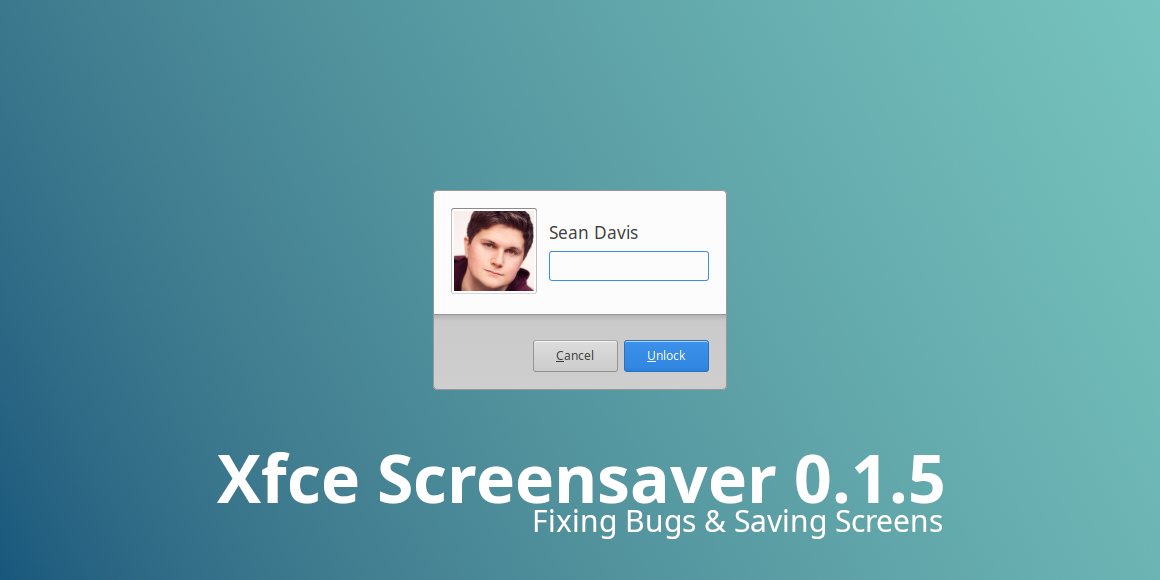
A new version of the Xfce Screensaver is now available! Xfce Screensaver 0.1.5 fixes many bugs while making the codebase leaner and more efficient. Check it out!
What’s New?
New Features
- Added support for elogind (Xfce #15243)
- Added support for profile images from AccountsService (Xfce #15235)
General
- Removed a lot of unused code (2,700+ lines)
- Simplified monitor-handling logic
- More consistent spacing in makefiles
Bug Fixes
-
Added categories to display in the Settings Manager (Xfce #15507)
-
Added a fallback idle timer for when X11 screensaver doesn’t notify
-
Fixed warning during configure stage (Xfce #15552)
-
Fixed Inhibitor lock (Xfce #15551)
-
Hid screensaver themes from “Open with” options (Xfce #15531)
-
Made numerous cppcheck, cpplint, and Coverity Scan fixes
- Constant variables guarding dead code
- Dereferencing before/after null
- Unchecked return values
- Unused variables
- Memory leaks
Translation Updates
Albanian, Basque, Belarusian, Bulgarian, Catalan, Chinese (China), Chinese (Taiwan), Czech, Danish, Dutch, English (Australia), French, German, Hebrew, Hungarian, Icelandic, Italian, Korean, Lithuanian, Malay, Polish, Portuguese (Brazil), Serbian, Slovak, Spanish, Swedish, Turkish
Downloads
Download Xfce Screensaver 0.1.5 at the link below.
Source tarball ( md5, sha1, sha256)
Xfce Screensaver 0.1.5 Released
What’s New?
New Features
- Added support for elogind (Xfce #15243)
- Added support for profile images from AccountsService (Xfce #15235)
General
- Removed a lot of unused code (2,700+ lines)
- Simplified monitor-handling logic
- More consistent spacing in makefiles
Bug Fixes
- Added categories to display in the Settings Manager (Xfce #15507)
- Added a fallback idle timer for when X11 screensaver doesn’t notify
- Fixed warning during configure stage (Xfce #15552)
- Fixed Inhibitor lock (Xfce #15551)
- Hid screensaver themes from “Open with” options (Xfce #15531)
- Made numerous cppcheck, cpplint, and Coverity Scan fixes
- Constant variables guarding dead code
- Dereferencing before/after null
- Unchecked return values
- Unused variables
- Memory leaks
Translation Updates
Albanian, Basque, Belarusian, Bulgarian, Catalan, Chinese (China), Chinese (Taiwan), Czech, Danish, Dutch, English (Australia), French, German, Hebrew, Hungarian, Icelandic, Italian, Korean, Lithuanian, Malay, Polish, Portuguese (Brazil), Serbian, Slovak, Spanish, Swedish, Turkish
Downloads
Source tarball (md5, sha1, sha256)