Xubuntu Development Update November 2018
Aaaaaaaaaaand, we’re back! After skipping last month’s development update, there are many new developments to unpack for the previous two months. Let’s get right to it with the Xubuntu development update for November 2018.
Xubuntu 18.10 “Cosmic Cuttlefish”
We wrapped up development on Xubuntu 18.10 throughout September and October, landing the following changes in the last month and a half of work.
- elementary Xfce 0.13.1
- Exo 0.12.2
- Greybird 3.22.8
- Tumbler 0.2.3
- Xfce Settings 4.13.4
- Xfce Whisker Menu Plugin 2.2.1
- Xfwm 4.12.5
- Xubuntu Artwork 18.10.3
- Xubuntu Default Settings 18.10.2
This release includes 6 new GTK+ 3 Xfce components, giving users a snapshot of Xfce 4.14 development. The release notes provide more information about this release.
Upcoming Fixes
Since the 18.10 release, we’ve identified fixes for two of our documented bugs. We’ll push these fixes to our users via the stable release updates.
-
Panel: Window buttons are not clickable at the top pixel of the screen (LP: #1795135)
- Resolution: Export GDK_CORE_DEVICE_EVENTS = 1 ( Xfce Git)
-
Settings Manager: Mouse fails to scroll embedded panels (LP: #1653448)
- Resolution: Export GDK_CORE_DEVICE_EVENTS = 1 ( Xfce Git)
Xfce
September New Releases
- Tumbler 0.2.2 / 0.2.3
- Xfce Battery Plugin 1.1.1
- Xfce Cpufreq Plugin 1.2.1
- Xfce Weather Plugin 0.9.0 (New GTK+ 3 release!)
- Thunar 1.8.2 (Major bugfix release)
October New Releases
- Exo 0.12.3
- Gigolo 0.4.90 (New GTK+ 3 release!)
- Xfce Clipman Plugin 1.4.3
- Xfce Notifications 0.4.3
- Xfce Screensaver 0.1.0 / 0.1.1 (New Xfce Application!)
- Xfce Sensors Plugin 1.3.90
- Xfce Settings 4.13.5
- Xfce Whisker Menu Plugin 2.3.0
4.14 Roadmap Updates
The Xfce development team has worked on tidying up the Xfce 4.14 roadmap over the last few days. Statuses have been updated, pending work has been moved to the top of each section, and completion percentages have been adjusted to better reflect each project’s progress. With these updates, we can now see that…
Xfce 4.14 is now approximately 83% complete.
Of course, we need all the help we can get to get this milestone out the door. Check out the Xfce Contribute page to find out how you can help.
What’s Next?
With the 18.10 release behind us, and the 19.04 cycle starting today, it’s time to get back to work! No release goals have been determined yet, so stay tuned to the Xubuntu Development mailing list for updates about Xubuntu 19.04 “ Disco Dingo” development.
Xfce Screensaver 0.1.1 Released
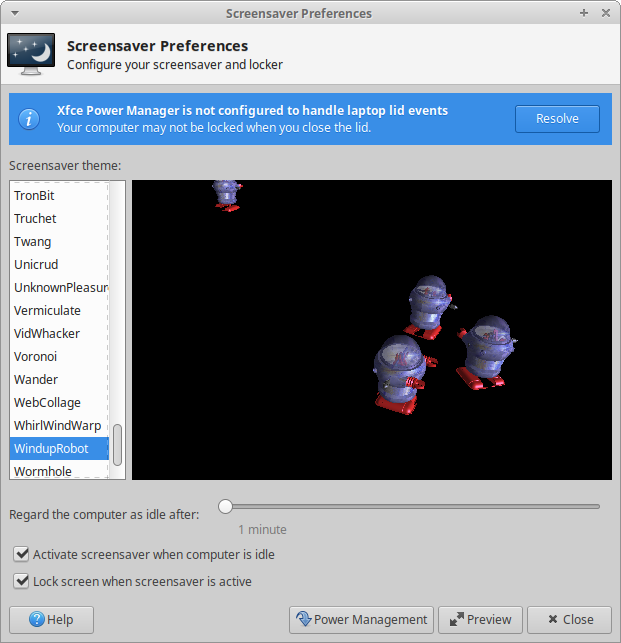
Xfce Screensaver 0.1.1, the second release, is now available! This release features several bug fixes, translations, and general improvements, which is a big step forward for the newest Xfce application.
What’s New?
General
- Added support for color settings from Xfdesktop 4.12 and 4.13
- The black fallback color has been replaced with the Xfdesktop default
- The interface files for the preferences dialog and lock screen are now compiled and included in the binaries
- The warning displayed as the root user is now an InfoBar to make it more visible
- Screensaver Preferences can now be embedded in the Xfce Settings Manager
Bug Fixes
- Fix crash when no background placement is configured (Xfce #14769)
- Redraw the screensaver on monitor configuration events (Xfce #14796)
- Automate detection of PAM configuration, adding a new flag to override (Xfce #14779)
- Notify the user when Xfce Power Manager has an incompatible configuration and include a button to resolve it (Xfce #14782)
- The unlock dialog is now correctly drawn with the Adwaita GTK theme
- Fix builds on OpenBSD; build status can now be tracked on the Xfce Build Bot
Translations (All NEW!)
Albanian, Basque, Bulgarian, Catalan, Chinese (China), Chinese (Taiwan), Danish, Dutch, French, German, Italian, Lithuanian, Malay, Polish, Russian, Slovak, Spanish, Swedish, Turkish
Packaging
With just a single release, packaging for the new screensaver is starting to appear everywhere! Drop me a line if you know of any other places it’s been packaged. 🙂
Screenshots
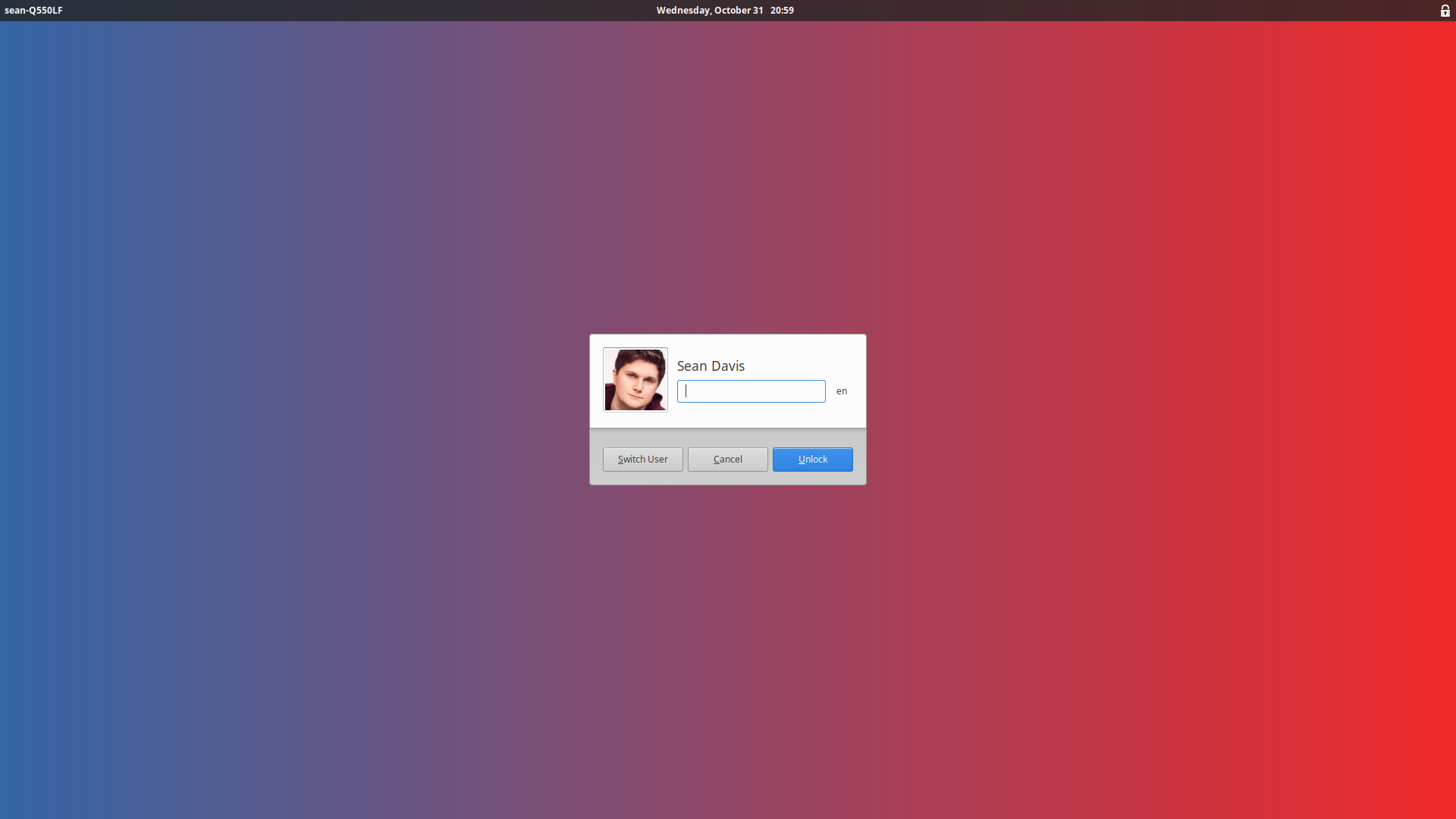
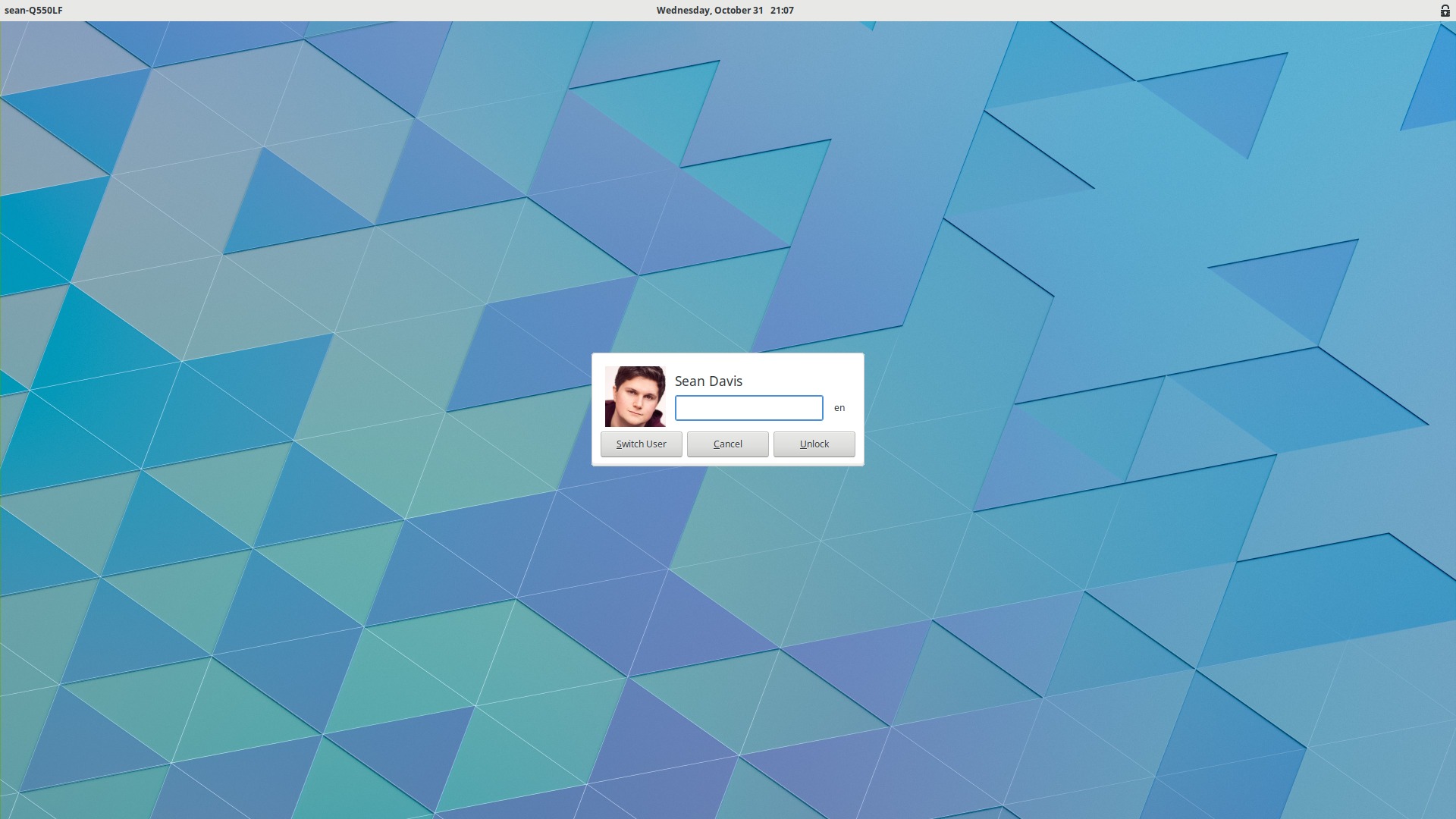
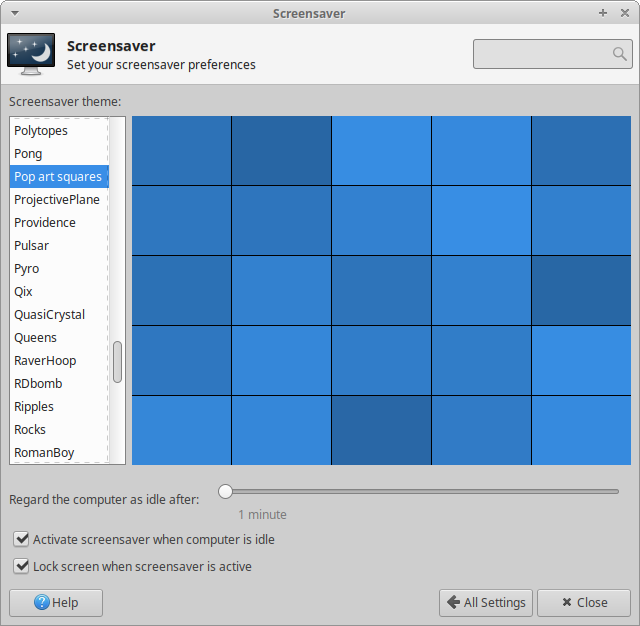
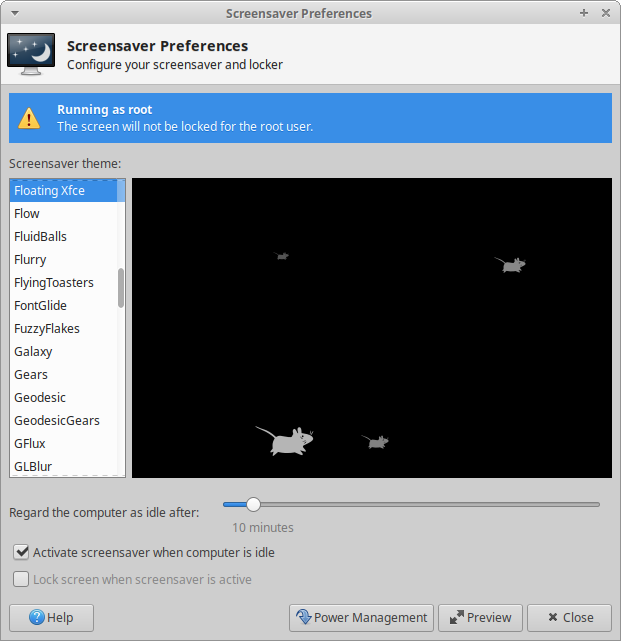
Downloads
Please be aware that this is alpha-quality software. It is not currently recommended for use in production machines. Please continue to test it, report bugs, provide feedback, and submit patches so we can make the best screensaver and locker possible for Xfce.
Source tarball ( md5, sha1, sha256)
Xfce Screensaver 0.1.0 Released
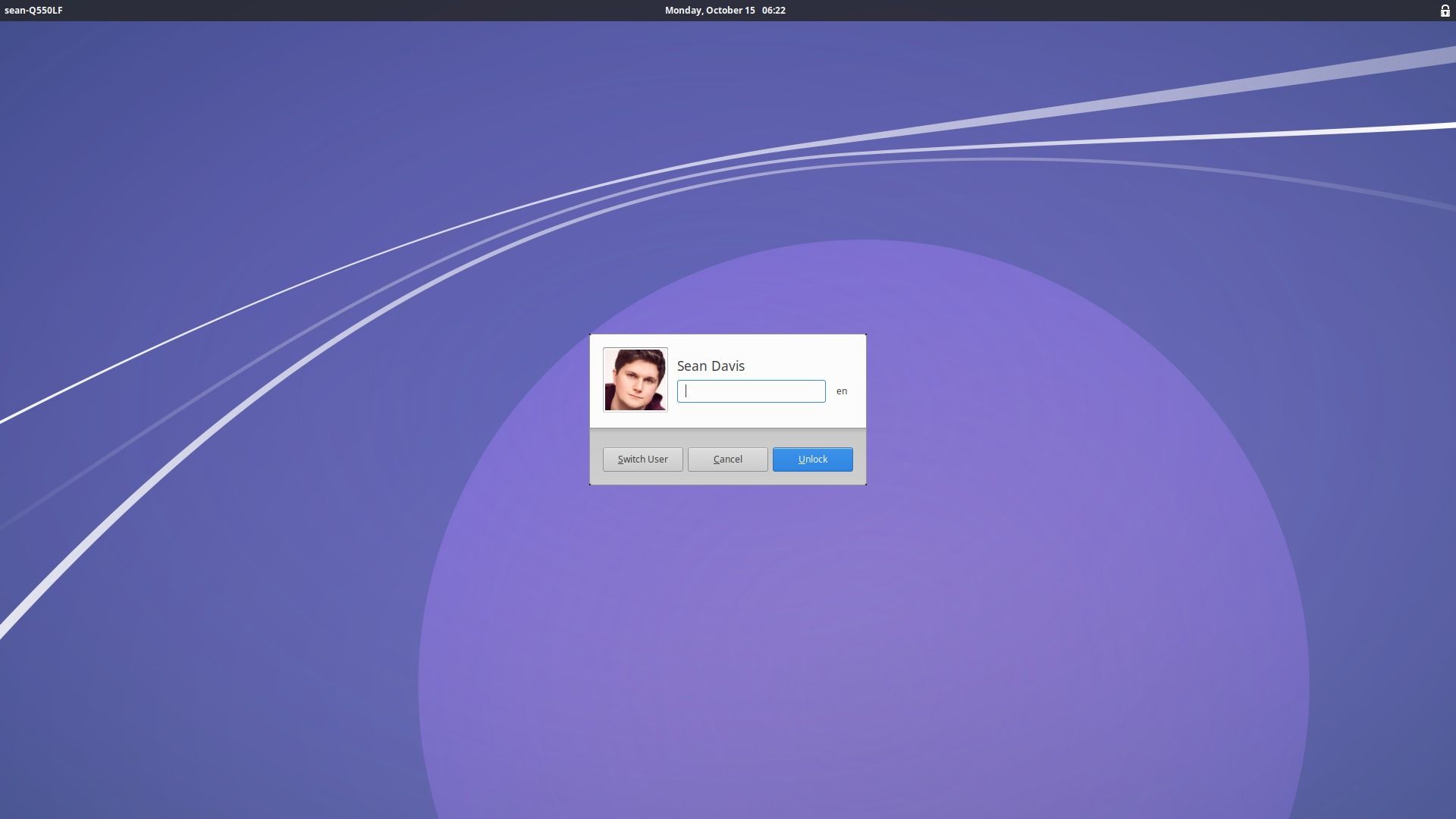
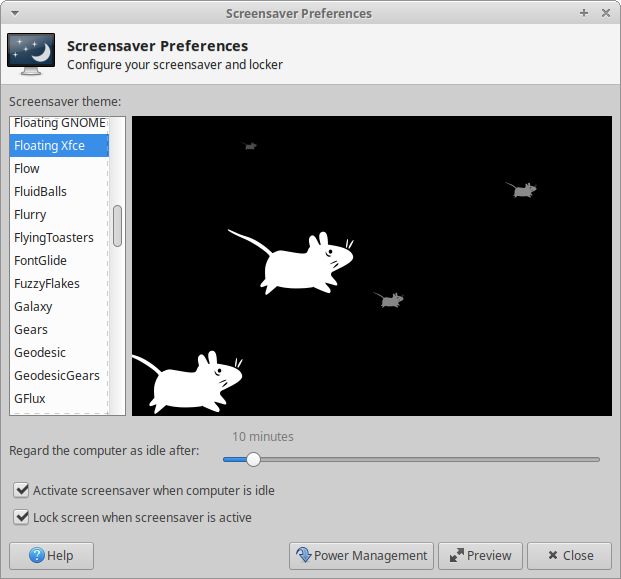
I am pleased to announce the release of Xfce Screensaver 0.1.0, an early release targeted at testers and translators. Bugs and patches are welcome!
Xfce Screensaver is a screen saver and locker that aims to have simple, sane, secure defaults and be well integrated with the Xfce desktop. It is a port of MATE Screensaver, which is itself a port of GNOME Screensaver. It has been tightly integrated with the Xfce desktop, utilizing Xfce libraries and the Xfconf configuration backend.
Features
- Integration with the Xfce Desktop per-monitor wallpaper
- Locking down of configuration settings via Xfconf
- DBUS interface to limited screensaver interaction
- Full translation support into many languages
- Shared styles with LightDM GTK+ Greeter
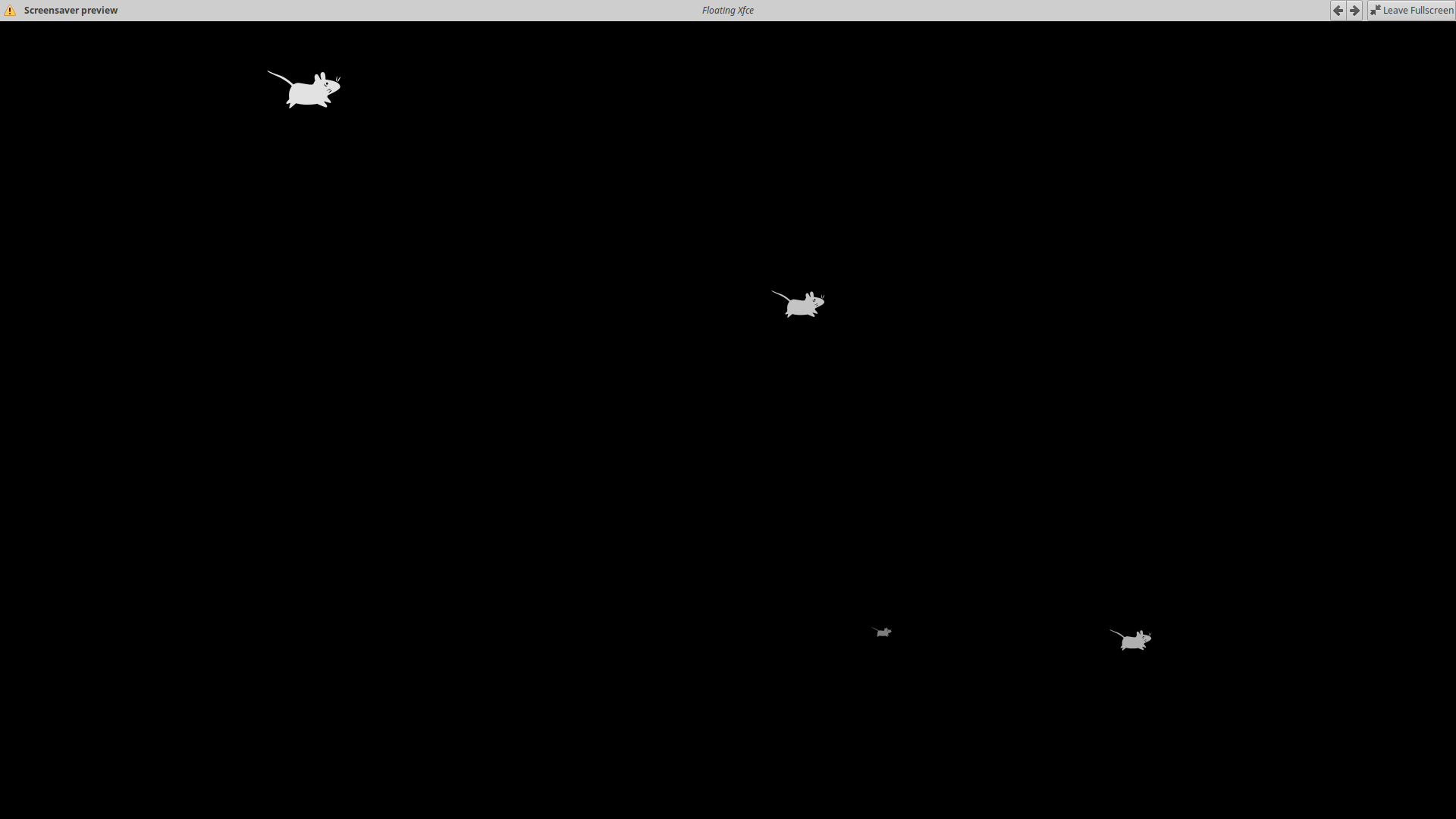
- Support for XScreensaver screensavers
- User switching
Requirements
- DBus >= 0.30
- GLib >= 2.50.0
- GTK+ >= 3.22.0
- X11 >= 1.0
- garcon >= 0.5.0
- libxklavier >= 5.2
- libxfce4ui >= 4.12.1
- libxfce4util >= 4.12.1
- Xfconf >= 4.12.1
Screenshots
Downloads
Please be aware that this is alpha-quality software. It is not currently recommended for use in production machines. I invite you to test it, report bugs, provide feedback, and submit patches to prepare it for the world. Download Xfce Screensaver 0.1.0 from the link below.
Source tarball ( md5, sha1, sha256)
Xubuntu Development Update September 2018
A week later than expected, it’s the September Xubuntu development update! The theme for August (and early September) has been visual improvements, with a few bug fixes tossed in for good measure. Check it out!
Xubuntu
Bionic Beaver (18.04)
Bionic was pretty stable in August, with only one of our packages making it through the SRU process and into the hands of our users.
- xfce4-terminal 0.8.7.4-0ubuntu0.18.04.1 (new upstream release with several improvements, LP: #1782327)
We’re currently looking to get these new releases and fixes into Bionic.
- Catfish 1.4.6 (new release with numerous bug fixes and a much-improved thumbnailer)
- Xfce Settings: Mouse acceleration is not configurable in Xubuntu 18.04 ( LP: #1758023)
Cosmic Cuttlefish (18.10)
The following source package updates landed in Cosmic in August.
- elementary-xfce 0.12-1ubuntu1
- ristretto 0.8.3-1 (Debian sync)
- thunar-archive-plugin 0.4.0-1 (Debian sync)
- thunar-media-tags-plugin 0.3.0-1 (Debian sync)
- xfce4-taskmanager 1.2.1-1 (Debian sync)
- xubuntu-artwork 18.10
- xubuntu-default-settings 18.10
- xubuntu-meta 2.227
Xfce
New Releases
Xfce had 3 new releases in August, featuring a variety of bug fixes and usability improvements.
Xfce Display Profiles (Preview)
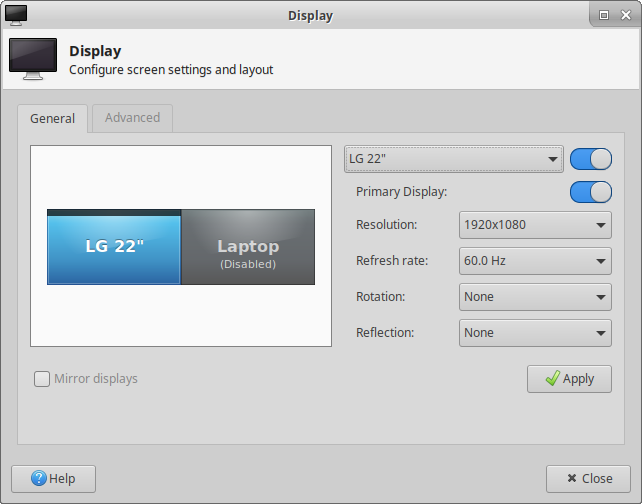
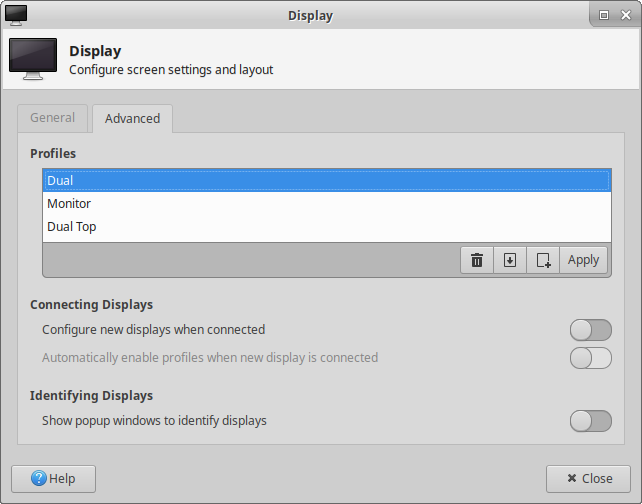
Simon has been hard at work implementing a nifty new feature for the Xfce Display Settings: display profiles! This feature allows you to save and switch between various display setups, useful for users on the go or presenters. This hasn’t been merged into master yet, so the designs are not final.
Spacing Improvements
I’ve spent the last week submitting patches to the Xfce core applications, panel plugins, and Thunar plugins. My goal is to improve the overall look and feel of Xfce by improving the consistency of its preference dialogs. Below are a few before-and-after screenshots.
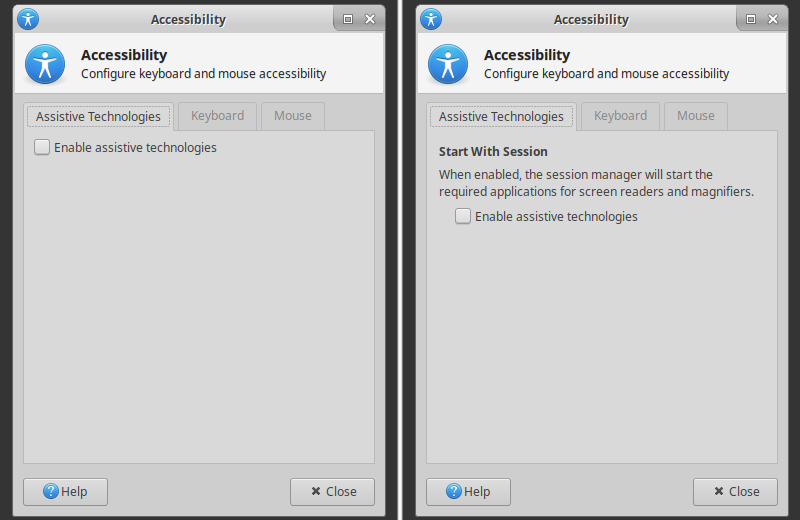
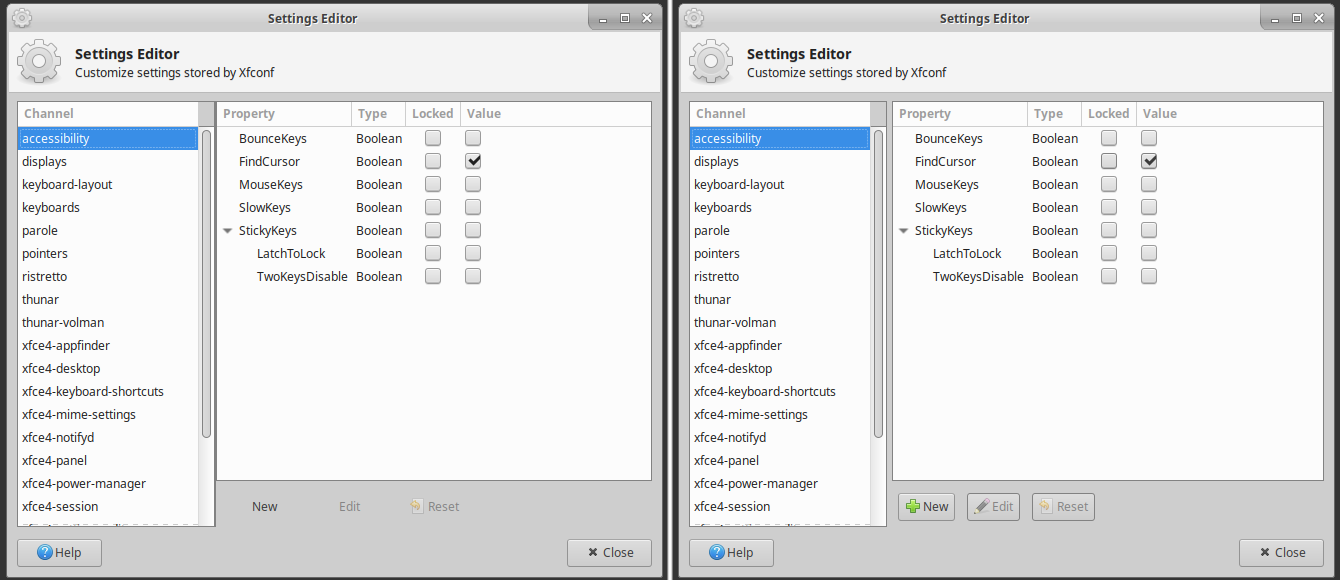
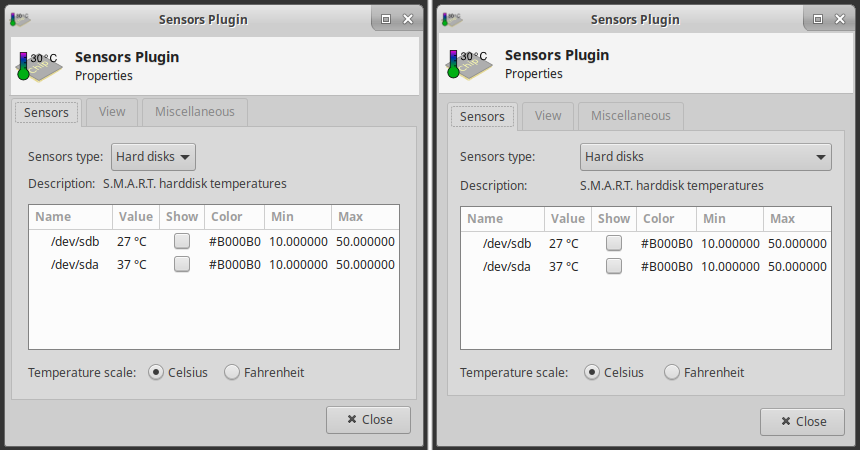
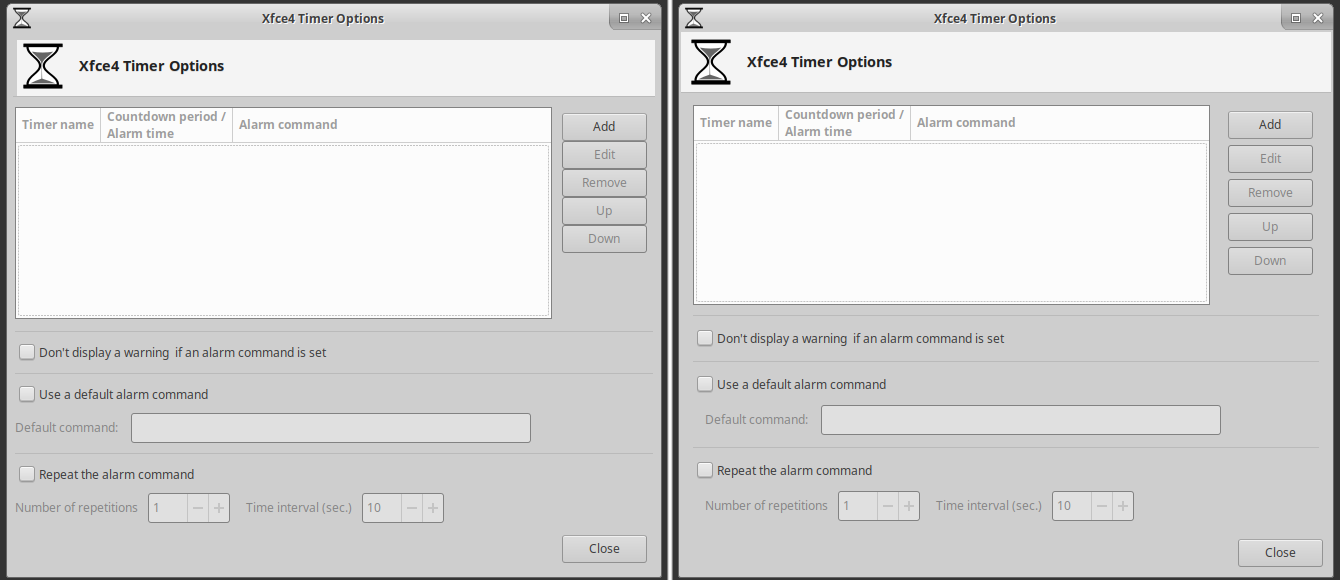
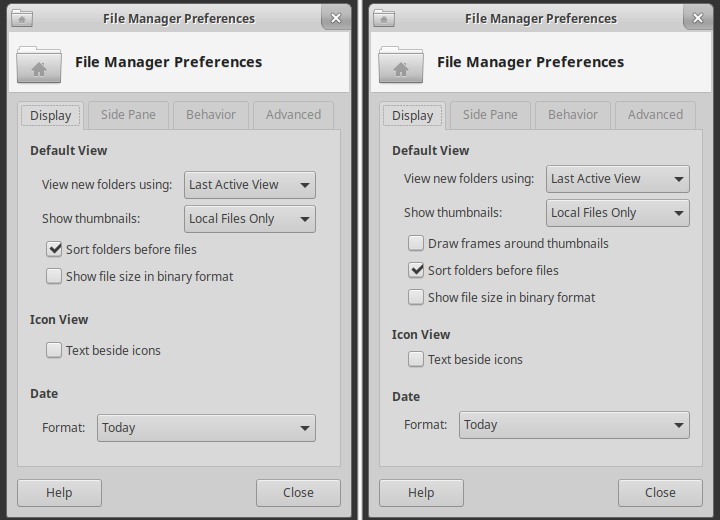
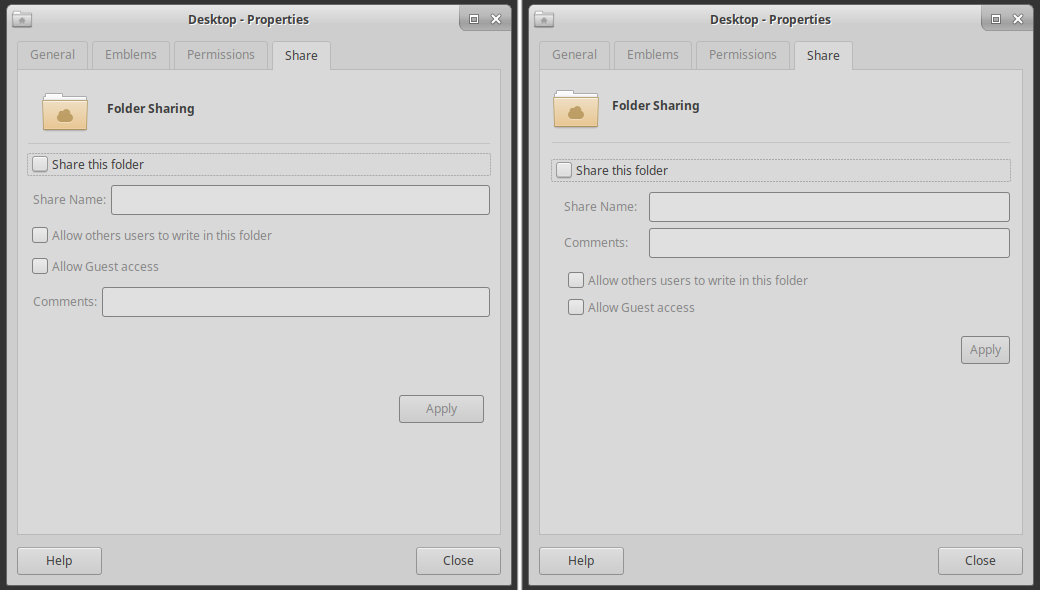
I’ve based my work on the excellent GNOME 2 HIG Window Layout documentation. Xfce has long borrowed the design philosophies from this document (to varying degrees) and is once again benefiting from the well-written work.
Shimmer Project
elementary Xfce Icon Theme
Xubuntu’s beloved icon theme has recently received a few significant updates. From build optimizations to new upstream icons, there’s a lot to unpack.
The theme has added a Makefile and build tool to convert the theme’s SVG sources to PNG. Xubuntu has included the PNG-building functionality for some time, and now it’s available for everyone. PNG-based themes are faster to load and generally crisper at various sizes. PNG optimization is included in the new build options. Optipng is now used to optimize each generated file, reducing the overall file size.
Updated icons coming from upstream this month include dialog-password, selection icons, graphics icons, as well as manila-colored folders. The manila folders are a sharp contrast from the longtime blue, but after using them for a few days, they’re actually pretty nice.

Other Updates
Mugshot 0.4.1
I released Mugshot 0.4.1 early last month with a number of bug fixes and code quality improvements. You can check out the release notes and find downloads here.
Contributing
Ready to start giving back to your favorite open-source projects? Remember that there’s something for everyone, and you can get started quickly with the Xubuntu and Xfce contributor docs. If you don’t know where to start, join us at #xubuntu-devel on Freenode… we’ll point you in the right direction.
Xubuntu Development Update August 2018
July was a surprisingly productive month for Xubuntu. While several folks on the team were on vacation for some portion of the month, we still delivered many great updates! Your Xubuntu development update for August 2018 includes updates to both supported LTS releases and several application updates.
LTS Updates
Xenial Xerus – 16.04.5
This is the final point release for Xubuntu 16.04 “Xenial Xerus.” As Xubuntu has a 3-year support cycle, this release will be supported until April 2019. The Xubuntu team has not made any major changes for this point release, but there have been several other improvements and security updates for other components.
16.04.5 is expected to be released tomorrow, August 2, 2018. If you have a few moments, feel free to do some testing and make sure everything is working as well as we think it is!
Bionic Beaver – 18.04.1
This is the first point release for Xubuntu 18.04 “Bionic Beaver.” At this time, users of Xubuntu 16.04 should begin receiving notifications to upgrade to this release. The Xubuntu team has released a few updates, and others are still coming. Download 18.04.1 here.
- Exo 0.12.2 includes performance improvements and a few minor bug fixes.
- Xfce Settings 4.12.4 improves display manufacturer identification and overall stability.
- LP: #1762595 (gvfs), Thunar incorrectly thinks USB storage device hasn’t finished ejecting, has been fixed!
- Updates for Catfish 1.4.6 and Xfce Terminal 0.8.7.4 are being processed through the Stable Release Update process and should be available in the coming days.
Application Updates
Catfish 1.4.6
The latest release of Catfish features a greatly improved thumbnail manager and numerous bug fixes. With 23 translation updates, this is the most localized release to date! Finally, Catfish 1.4.6 is the first release as an official Xfce project. Check out my earlier blog post for more details.
Xfce4 Panel Profiles 1.0.8
Formerly known as Xfpanel Switch, Xfce4 Panel Profiles has joined the Xfce family. This application makes it incredibly easy to backup, restore, and share panel layouts with other Xfce users. The latest release improves profile management and includes many translations. Find out more about the latest updates on the release announcement.
Xfce Releases
There were 7 new Xfce releases in July, including the two applications listed above. These releases feature several improvements and translation updates, with Xfwm4 4.13.1 featuring an astounding 81 non-translation updates!
- Catfish 1.4.6
- Thunar VCS Plugin 0.2.0
- Xfce Mount Plugin 1.1.3
- Xfce Panel Profiles 1.0.8
- Xfce Whisker Menu Plugin 2.2.1
- Xfwm ( 4.12.5, 4.13.1)
Cosmic Cuttlefish Updates
The following components have been updated in Xubuntu 18.10 since July 1st.
Applications
- Catfish 1.4.6
- Mousepad 0.4.1
- Ristretto 0.8.3
- Thunar 1.8.1
- Xfce Desktop 4.13.2
- Xfce Panel 4.13.3
- Xfce Screenshooter 1.9.2
- Xfce Settings 4.13.3
- Xfce Task Manager 1.2.1
- Xfce Terminal 0.8.7.4
Libraries
Panel Plugins
Thunar Plugins
Other Updates
- Bug Fixed! LP: #1762595 (gvfs), Thunar incorrectly thinks USB storage device hasn’t finished ejecting
What to Expect in August?
With the summer months coming to a close, kids are back in school, and everybody is back in front of their computers. This means more updates! Here are some things expected soon:
- We have updated the packaging for the elementary-xfce icon theme. Work on separating this theme from xubuntu-artwork has already been completed. We are now just waiting for some sponsored uploads. The benefit of this change is that the elementary-xfce icon theme is now available in Debian!
- Xfce Settings 4.13.5. We’ll be releasing some improvements to the settings managers soon. One improvement is the removal of the broken icon theme color generation. This worked great with GTK+ 2 themes but has been pretty broken for GTK+ 3. With this removal, Appearance Settings now loads instantly!
- I’ll be reviewing the Pidgin codebase this month. We hope to improve the theme manager to support system-wide status icons and smiley theme installation. This will allow us to ship the pidgin-elementary themes and improve our desktop consistency.
- A few bugs have been reported with Thunar in Xubuntu 16.04 regarding copying and moving files. I’ll be working to update the Thunar version in Xenial to fix these bugs and help folks transition to the latest and great Xubuntu 18.04. (LP: #1514912)
Keep up with the latest Xubuntu developments on our development tracker. Have a great month!
Xfce Panel Profiles 1.0.8 Released
Xfpanel Switch has a new name and home. With the latest release, the application is now known as “Xfce Panel Profiles” and is a part of the Xfce family. Xfce Panel Profiles 1.0.8 improves profile management and includes several translations.
What’s New?
At Home With Xfce
Bug Fixes
- Failure to save some panel configurations (LP: #1765565)
- Crash on corrupted panel configs (LP: #1765565)
- Apply more strict logic when removing bad plugins
- Remove orphaned plugins when loading configuration
General
- Tidied up pylint notices
Translation Updates
Albanian, Bulgarian, Catalan, Chinese (China), Chinese (Taiwan), Croatian, Czech, Danish, Dutch, Finnish, French, Galician, German, Greek, Hebrew, Italian, Japanese, Kazakh, Korean, Lithuanian, Polish, Portuguese, Portuguese (Brazil), Russian, Serbian, Slovenian, Spanish, Swedish, Turkish
Downloads
New releases of Xfce Panel Profiles will now be found in the Xfce release archive. Previous releases are still available on Launchpad. Download Xfce Panel Profiles 1.0.8 at the link below.
Source tarball ( md5, sha1, sha256)
Catfish 1.4.6 Released
It’s a great day for fast and powerful Catfish search utility fans. With the release of Catfish 1.4.6, Catfish officially joins the Xfce family. Additionally, the thumbnailer has received some nice improvements, and many bugs have been squashed.
What’s New?
Xfce Transition
Catfish has long been included with most Xfce installations. It’s lightweight, fast, and a perfect companion to the Thunar file manager. With the transition from Launchpad to Xfce, things have moved around a bit. Update your bookmarks accordingly!
- Homepage (Xfce Docs)
- Bugs (Xfce Bugzilla)
- Git (Xfce Git)
- Translations (Transifex)
Improved Thumbnailer
Based on the FreeDesktop.org Thumbnail Specification, now featuring:
- Improved error handling
- Proper permissions for thumbnail directories and files
- Logging of failed thumbnail generation
- Saving of thumbnail file attributes
- Support for relative thumbnail directories
Bug Fixes
- Added inode/directory mime type to desktop entry (Xfce #14505)
- Disabled overlay scrollbars to improve interacting with the results list (Xfce #14487)
- Enabled launching of executable AppImage files (Xfce #14500)
- Fixed invalid date in AppData (Xfce #14502)
- Replaced stock icons with standard Mime Type icons (Xfce #14503)
- Improved handling of exceptions when parsing settings (Xfce #14491)
- Improved handling of UnicodeDecodeErrors (Xfce #14490)
- Improved handling of PermissionErrors (Xfce #14488)
- Improved support for hidden files (Xfce #14497)
- Remember window size and position between sessions (Xfce #14504)
- Xfce: Open directories with the preferred file manager (Xfce #14483)
Translation Updates
Albanian, Belarusian, Catalan, Chinese (China), Chinese (Taiwan), Croatian, Czech, Danish, Dutch, French, Galician, Greek, Hebrew, Italian, Lithuanian, Norwegian Bokmål, Polish, Portuguese, Portuguese (Brazil), Russian, Spanish, Swedish, Ukrainian
Downloads
New releases of Catfish will now be found at the Xfce release archive. Previous versions will be added there soon. In the meantime, past releases are still available on Launchpad. Download Catfish 1.4.6 at the link below.
Source tarball ( md5, sha1, sha256)
Xubuntu Development Update July 2018
Our work over June has brought a few new updates for July, including many Xfce 4.13 updates, bug fixes, and a few migrations, which round out a nice month of development. This is your Xubuntu development update for July 2018.
Xfce 4.13, A Preview of What’s To Come
Xfce has a fairly standard versioning scheme. Even version numbers (4.10, 4.12, 4.14) represent stable, supported releases. Odd version numbers (4.11, 4.13) represent development versions. Xfce 4.14 (the GTK 3 release) has been in development for a few years now, and several components have had 4.13 releases as their ports are completed and bugs are fixed.
With the Xubuntu LTS release behind us and Xfce 4.14 likely to be released sometime in the next year, we’re ready to start rolling out more of these development releases for our users. There are not a lot of new features, but with the upgraded toolkit, there’s better support for newer technologies, theming capabilities, and … an increased likelihood of bugs (we’ll fix them, we promise).
As of this morning (July 1), we have many more Xfce 4.13 available in Xubuntu 18.10 “Cosmic Cuttlefish.” This is thanks to the hard work of Unit 193 — our Debian liaison, package maintainer, council member, and all-around awesome person. The following components are now available.
- Thunar 1.8 (and plugins)
- Xfce Desktop 4.13
- Xfce Panel 4.13 (and plugins)
- Xfce Screenshooter 1.9
- Xfce Settings 4.13
- Updated libraries (libxfce4panel, libxfce4util, xfconf)
New Releases
July was a nice month for Xfce development. 11 projects were updated, and most of these updates have already landed in Xubuntu. The other updates should land in the coming days.
- Exo 0.12.2
- libxfce4util 4.13.2
- Mousepad 0.4.1
- Ristretto 0.8.3
- Thunar 1.8.0 / 1.8.1
- Thunar VCS Plugin 0.1.90
- Xfce Desktop 4.13.2
- Xfce Dictionary 0.8.1
- Xfce Settings 4.12.4 / 4.13.4
- Xfce Task Manager 1.2.1
- Xfconf 4.13.5
Upcoming Releases
Catfish 1.4.6
We’re in the middle of migrating Catfish to be an official part of the Xfce family. After migrating bugs from Launchpad to Xfce, it was only rational to fix a few. So with those bug fixes, we’re right around the corner from another release. I’ll have more information on the Xfce transition with the 1.4.6 release announcement later this month.
Xubuntu 18.04.1
The first point release for 18.04 is expected this month, on July 26th. After 18.04.1 is released, 16.04 LTS users will begin to receive upgrade notifications. Before we get there, we have a few fixes and updates we want to deliver.
- LP: #1762595 (gvfs), Thunar incorrectly thinks USB storage device hasn’t finished ejecting
- Exo 0.12.2, which includes some performance improvements and a few fixes
- Xfce Settings 4.12.4, which includes a few bug fixes and improved monitor manufacturer detection
What to Expect in July?
Xubuntu 18.04.1 Testing
With each point release, we need some testing to ensure everything works as expected. With 18.04.1, we’ll likely be looking for more release upgrade tests. Look forward to some calls for testing this month to test the upcoming milestone, or join us on #xubuntu-devel to learn how you can start testing now.
Xfce Migrations
We’ve already started moving Catfish to Xfce, but more work remains to be done. We’ll also be moving Xfce Panel Switch this month to join the rest of its friends and family.
More Blueprint Activity
Keep an eye on the Xubuntu development tracker to see what the team is up to this month.
Xfce Settings 4.12.4 & 4.13.4 Released
The latest developments in Xfce Settings continue to make their way to the stable and development releases. Xfce Settings 4.12.4 and 4.13.4 include several improvements, and 4.13.4 is steadily marching toward the 4.14 future.
What’s New?
Bug Fixes (4.12 and 4.13)
xfsettingsd --replacedoes not replace old daemon (Xfce #14381)- Uninitialized scalar variables (CID #292062, #292063)
- Resolved warnings for
-Wcast-function-type(GCC 8) - Fixed redefinition of DISTCLEANFILES in Makefile.am
- Fixed typo in display manufacturers, “PRECISON” to “PRECISION”
Improved Display Manufacturer Recognition (4.12 and 4.13)
- Refreshed PNP IDs from hwdata
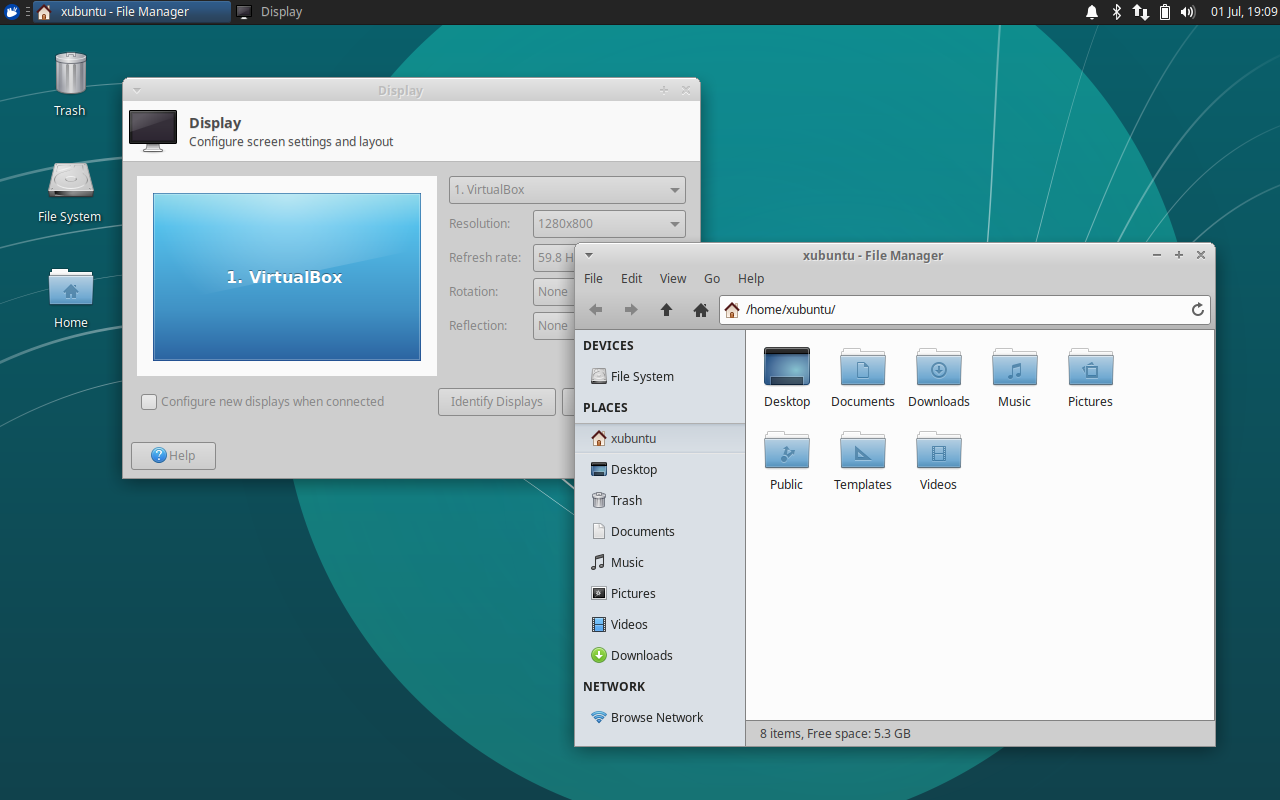
- Added support for VBX (VirtualBox)
- Standardized and shortened manufacturer names
- Updated laptop detection to include eDP in XfceRandr
Xfce 4.14 Progress (4.13 Only)
- Xfce Settings has been ported from D-Bus GLib to GDBus as of 4.13.3
- D-Bus GLib was deprecated in favor of GDBus with GLib 2.26
XRandr Display Scaling (4.13 Only)
- This new feature is equivalent to
xrandr --scaleand is used to scale the entire display area - The scale values are stored in Xfconf under
/Default/<NAME>/Scale/{X,Y} - For now, this setting can only be configured via Xfconf. If you’d like to submit a patch to add it to the GUI, we’d love to have it! 😉
Translation Updates
Belarusian, Catalan, English (Australia), Galician, Greek, Hebrew, Hungarian, Japanese, Kazakh, Korean, Portuguese, Portuguese (Brazil), Russian, Spanish, Swedish, Ukrainian
Downloads
Xfce Settings 4.12.4
Source tarball ( md5, sha1, sha256)
Xfce Settings 4.13.4
Source tarball ( md5, sha1, sha256)
Exo 0.12.2 Released
Xfce application developers rejoice! Exo 0.12.2, the latest version of the application support library, is now available. With performance improvements and full support for GCC 8, users and developers should be excited about this news.
What’s New?
Bug Fixes
- Use the “user-bookmarks” icon instead of “bookmark-new” (Xfce #14243)
- Properly scale application icons in the Preferred Applications dialog (Xfce #14362)
- Remove pure attribute of function that returns void (Xfce #14427)
- Uninitialized scalar variable (CID #127777)
Exo Icon Chooser Dialog
- Dropped deprecated International icon context, added Stock icon context
- Increased context title max length to support long translations
- Symbolic icons are no longer populated in the icon chooser dialog, which could lead to significant performance gains with various icon themes
- Added a new test to the test suite for the GTK 3 version of this dialog
Helpers
- Added PCManFM-Qt (from LXQt) to supported file managers (Xfce #14333)
Compiler Support
- Disabled
-Wexpansion-to-definedand resolve various compiler warnings for GCC 7 - Fixed
-Wcast-function-typefor GCC 8
Translation Updates
Albanian, Amharic, Belarusian, Bulgarian, Catalan, Chinese (China), Chinese (Taiwan), Czech, Danish, Dutch, English (Australia), Finnish, French, Galician, Greek, Hebrew, Hungarian, Italian, Polish, Portuguese, Russian, Slovak, Swedish, Turkish
Downloads
Exo 0.12.2 is available to download from the link below.
Source tarball ( md5, sha1, sha256)